Dakewe (Shenzhen) Medical Equipment Co., Ltd
6.1.5.2 Delete reagent
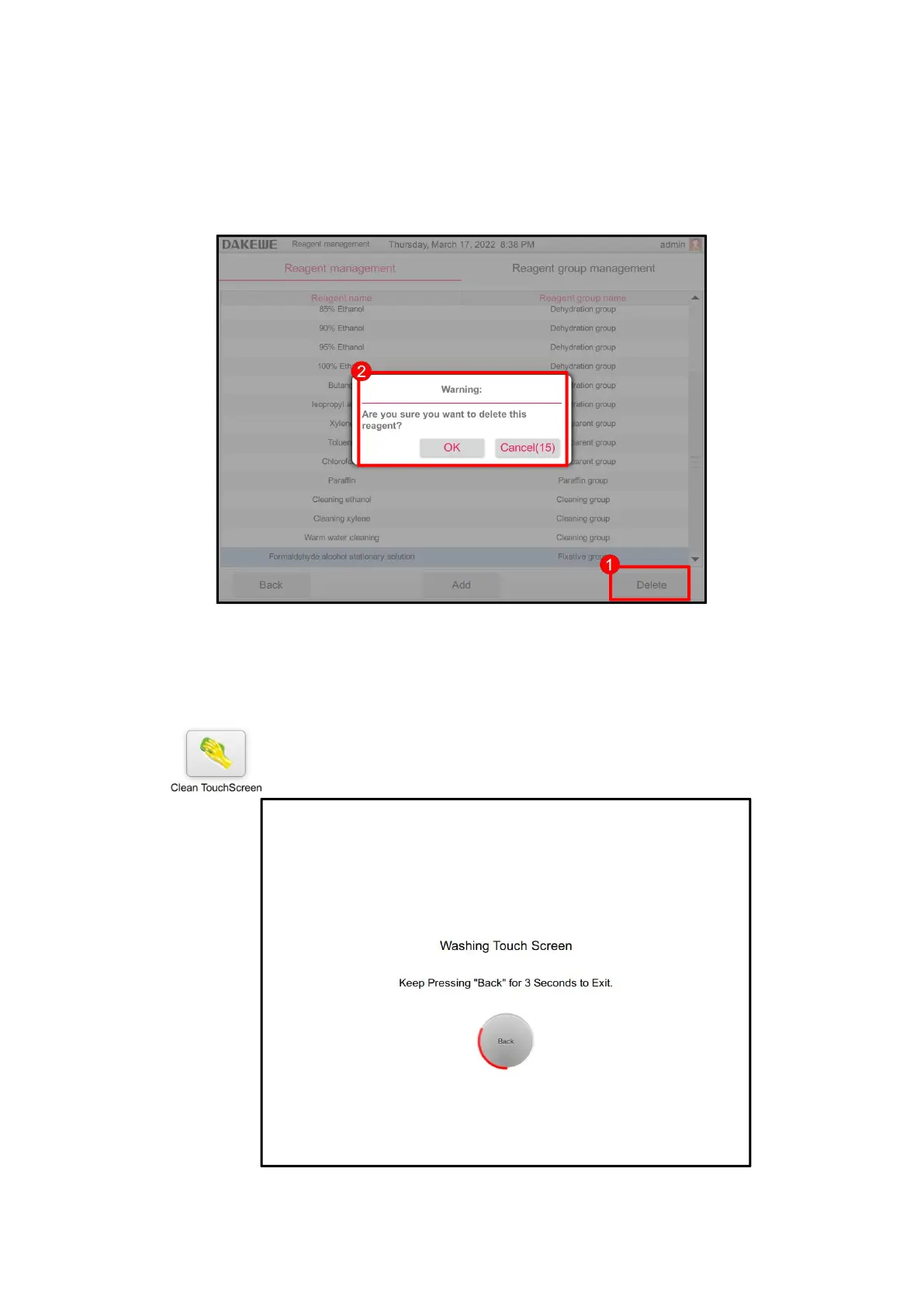
Touch to select any reagent. Click the “Delete Reagent” button (Figure 50-1). The
system will pop up the delete prompt box (Figure 50-2). Click the OK button to delete
the selected reagent. Click Cancel to stop deleting the reagent.
6.1.6 Screen Cleaning
Click the "Clean Screen" button to enter the cleaning screen interface, which
provides the function of avoiding touching the software function buttons by
mistake during screen cleaning. To exit, press and hold the back button until
the red progress bar turns a full circle to exit the cleaning screen interface.



 To Next Page