Dakewe (Shenzhen) Medical Equipment Co., Ltd
6.2.2 Time Setting
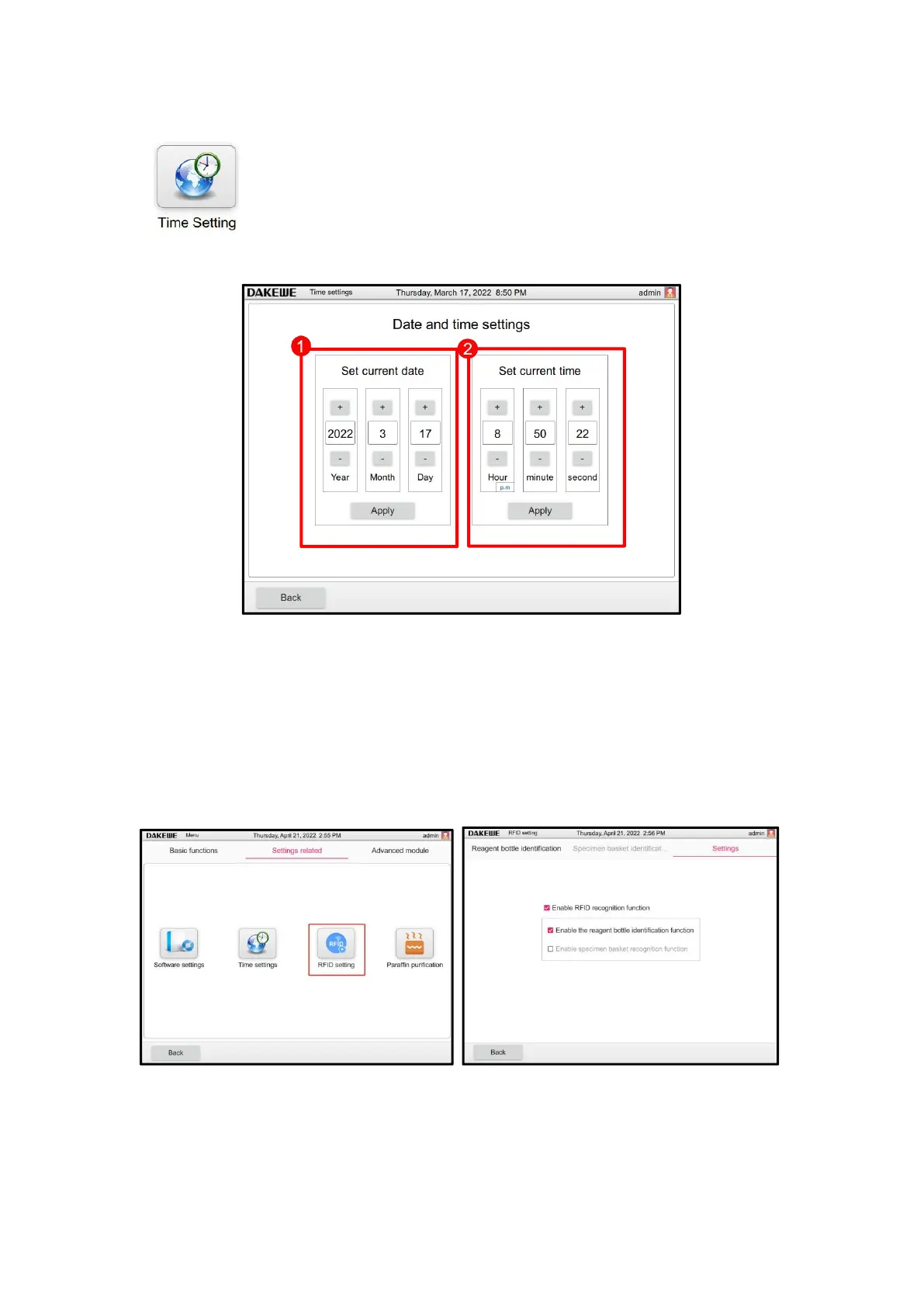
Click the “Time Setting” button in the device management interface to enter
the time setting interface (Figure 57). Adjust to set the date (Figure 57-1) and
time (Figure 57-2) through the “+, -” in the interface. Click “Apply” when
finished.
6.2.3 RFID Setting
Menu - Set related interface, click "RFID Settings" button to enter the RFID Settings interface,
enable RFID function and reagent bottle identification function in the Settings then reagent bottle
identification function can be used. In reagent bottle identification interface, click "Refresh
Current Configuration" in the lower right corner to complete reagent bottle ID binding.



 To Next Page