Dakewe (Shenzhen) Medical Equipment Co., Ltd
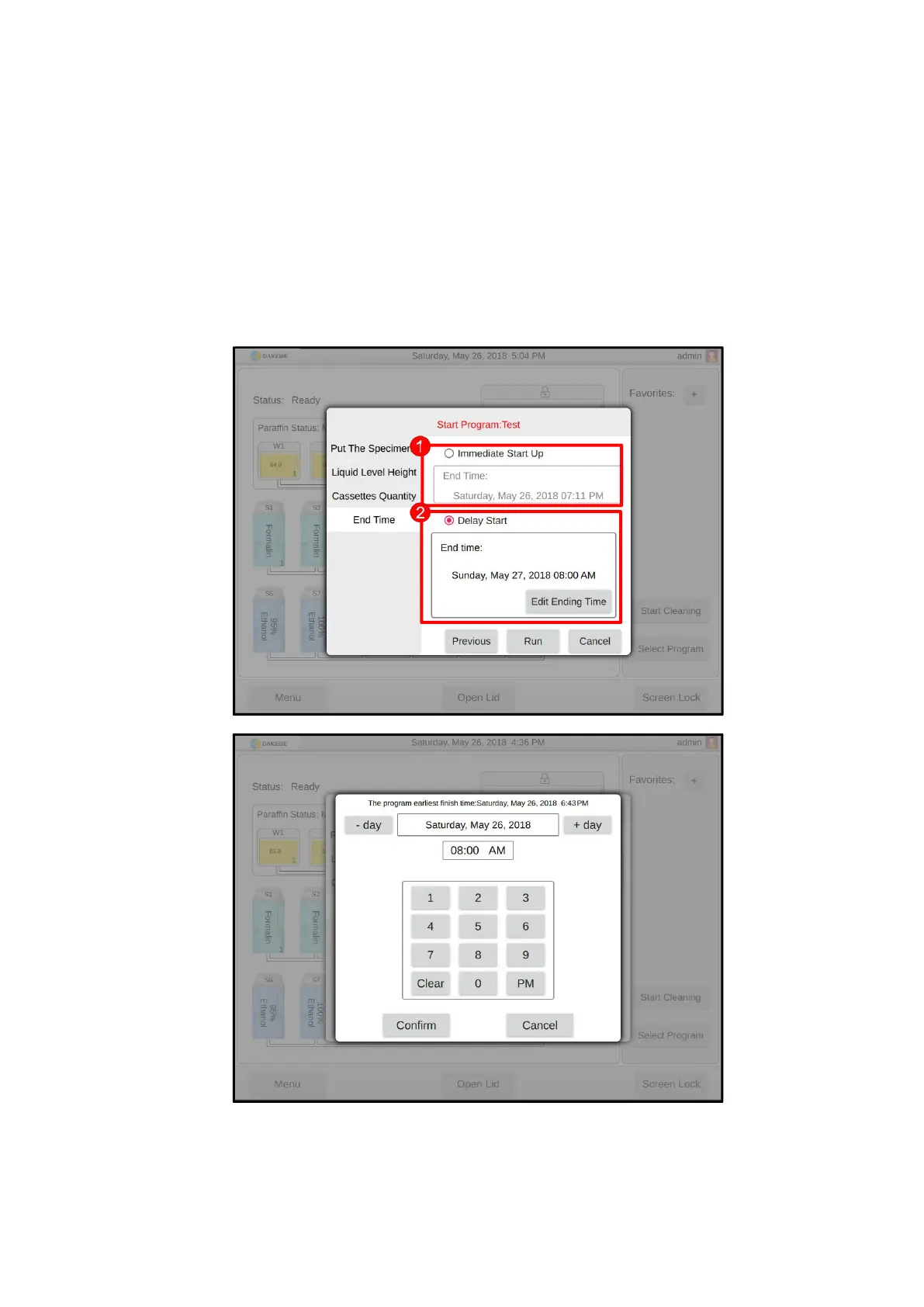
Set the program startup:
After checking “Immediate Start” (Figure 76-1), click the “Run” button. The
system will immediately run the dehydration program.
Or, after checking “Delay Start”, click the “Edit Appointment Time” button
(Figure 76-2) to enter the appointment setting interface of the program end time
(Figure 76-3). After completing the settings in order, click “OK” to exit. Click the
“Run” button afterwards. The system will calculate the time that needs to be
delayed. The Dehydration program is automatically started when the time arrives.



 To Next Page