8.1.2 Running the Dehydration Program via Shortcut Keys
The system provides four shortcut keys in the operation status panel for assigning
commonly used shortcut programs.
8.1.2.1 Set shortcut keys
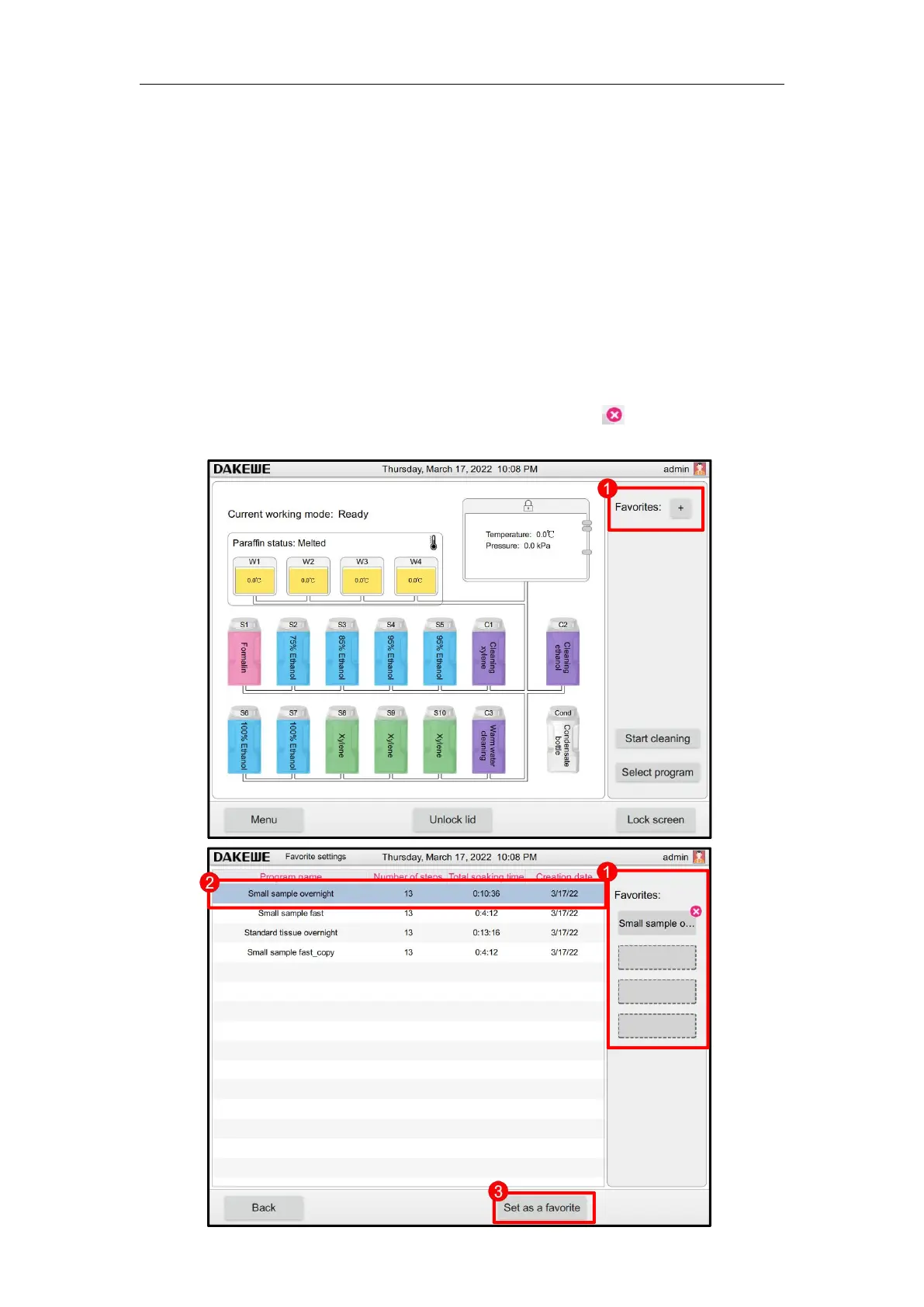
In the main user interface, click the “+” button on the shortcut program (Figure 77-1) to
enter the program shortcut program setting interface.
All the dehydration programs stored in the system are displayed in the list. The user
clicks to select any program (Figure 77-2). Click “Set as Shortcut Program” (Figure
77-3) below. The selected program can be assigned to 4 vacancy shortcut keys (Figure
77-4).
After the program is assigned to a shortcut key, click the “ ” key in the upper right
corner of the shortcut program button to reset the program to blank.



 To Next Page