77 Piranha 2 User’s Manual
03-032-00493-14 Teledyne DALSA
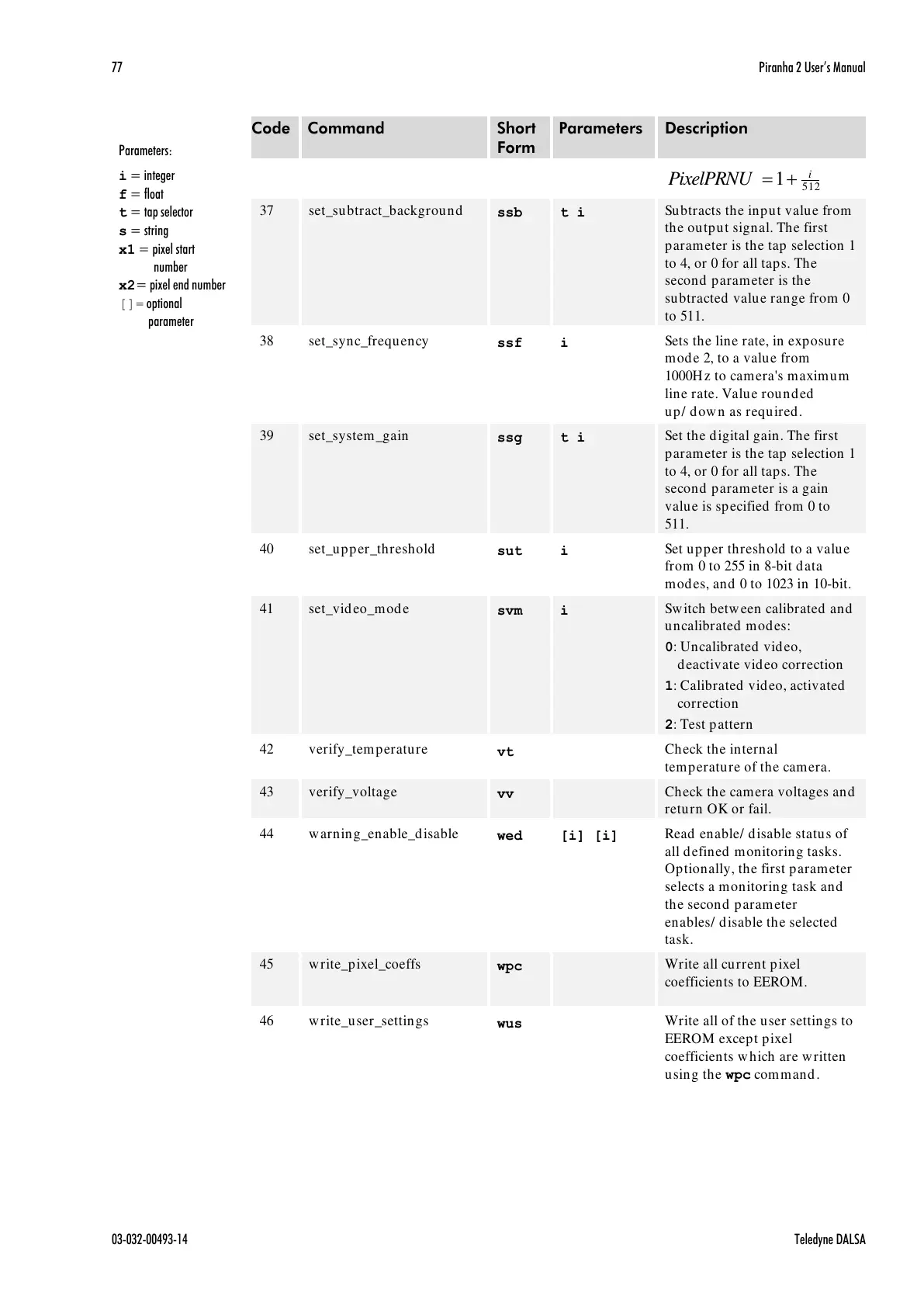
Subtracts the input value from
the output signal. The first
parameter is the tap selection 1
to 4, or 0 for all taps. The
second parameter is the
subtracted value range from 0
to 511.
Sets the line rate, in exposure
mode 2, to a value from
1000Hz to camera's maximum
line rate. Value rounded
up/ down as required.
Set the digital gain. The first
parameter is the tap selection 1
to 4, or 0 for all taps. The
second parameter is a gain
value is specified from 0 to
511.
Set upper threshold to a value
from 0 to 255 in 8-bit data
modes, and 0 to 1023 in 10-bit.
Switch between calibrated and
uncalibrated modes:
0: Uncalibrated video,
deactivate video correction
1: Calibrated video, activated
correction
2: Test pattern
Check the internal
temperature of the camera.
Check the camera voltages and
return OK or fail.
Read enable/ disable status of
all defined monitoring tasks.
Optionally, the first parameter
selects a monitoring task and
the second parameter
enables/ disable the selected
task.
Write all current pixel
coefficients to EEROM.
Write all of the user settings to
EEROM except pixel
coefficients which are written
using the wpc command.
Parameters:
i = integer
f = float
t = tap selector
s = string
x1 = pixel start
number
x2= pixel end number
[]= optional
parameter
All manuals and user guides at all-guides.com



 To Next Page
 Loading...




