25 Piranha 2 User’s Manual
03-032-00493-14 Teledyne DALSA
3.4 Startup
When the camera is first started, it must perform several actions before it is ready for
imaging. This startup routine takes approximately 15 seconds, and follows this sequence:
1. Initializes the camera and all internal hardware.
2. Loads the last settings saved to non-volatile memory, including the last set of video
correction coefficients, if previously saved.
3. Restores user settings if previously saved, otherwise factory settings.
4. Performs a memory test and voltage test and reports an error if any occurred.
After this startup sequence is complete, the camera will return either the prompt "OK>" if
no error occurred, or an error code if a problem has been discovered.
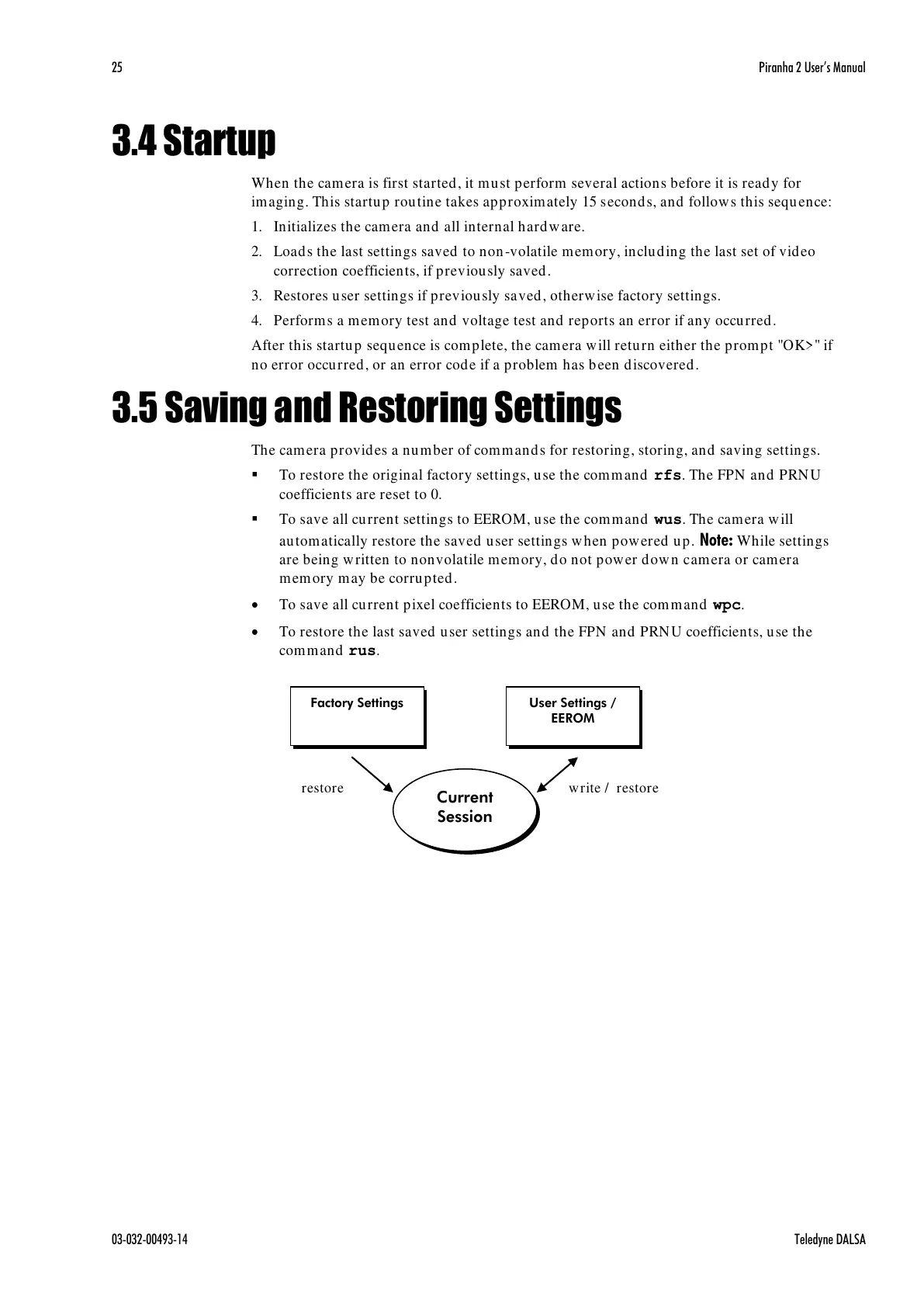
3.5 Saving and Restoring Settings
The camera provides a number of commands for restoring, storing, and saving settings.
To restore the original factory settings, use the command rfs. The FPN and PRNU
coefficients are reset to 0.
To save all current settings to EEROM, use the command wus. The camera will
automatically restore the saved user settings when powered up. Note: While settings
are being written to nonvolatile memory, do not power down camera or camera
memory may be corrupted.
To save all current pixel coefficients to EEROM, use the command wpc.
To restore the last saved user settings and the FPN and PRNU coefficients, use the
command rus.



 To Next Page
 Loading...




