CO2-Recovery Plant 34 EN/2020
4.4 Stopping the Unit
When the CO
2
Units capacity is less than 2 kg/h, it is recommended to stop regeneration and
disassemble hoses. CO
2
hoses are rinsed with cold or hot water. To stop the Unit simply press
the Start/Stop button on the PLC. If maintenance is being performed turn the main switch to
OFF to make sure the power is off. Close the connection from fermentation tank and follow
standard procedure for closing the tank.
Note: If there is a stop at the CO2 unit due to alarm, it will go to STOP and go out of service
status. This means that the compressor stops and all valves after the compressor closes. When
the compressor does not take CO2, the input pressure will go up and the PRV will open at 0.40
bar.
Note: When the CO
2
Units production is less than 2 kg of CO
2
per hour, it is not economical to
collect CO
2
, but it is not required to stop the plant if it is inconvenient.
4.5 Special functions
4.5.1 Forcing
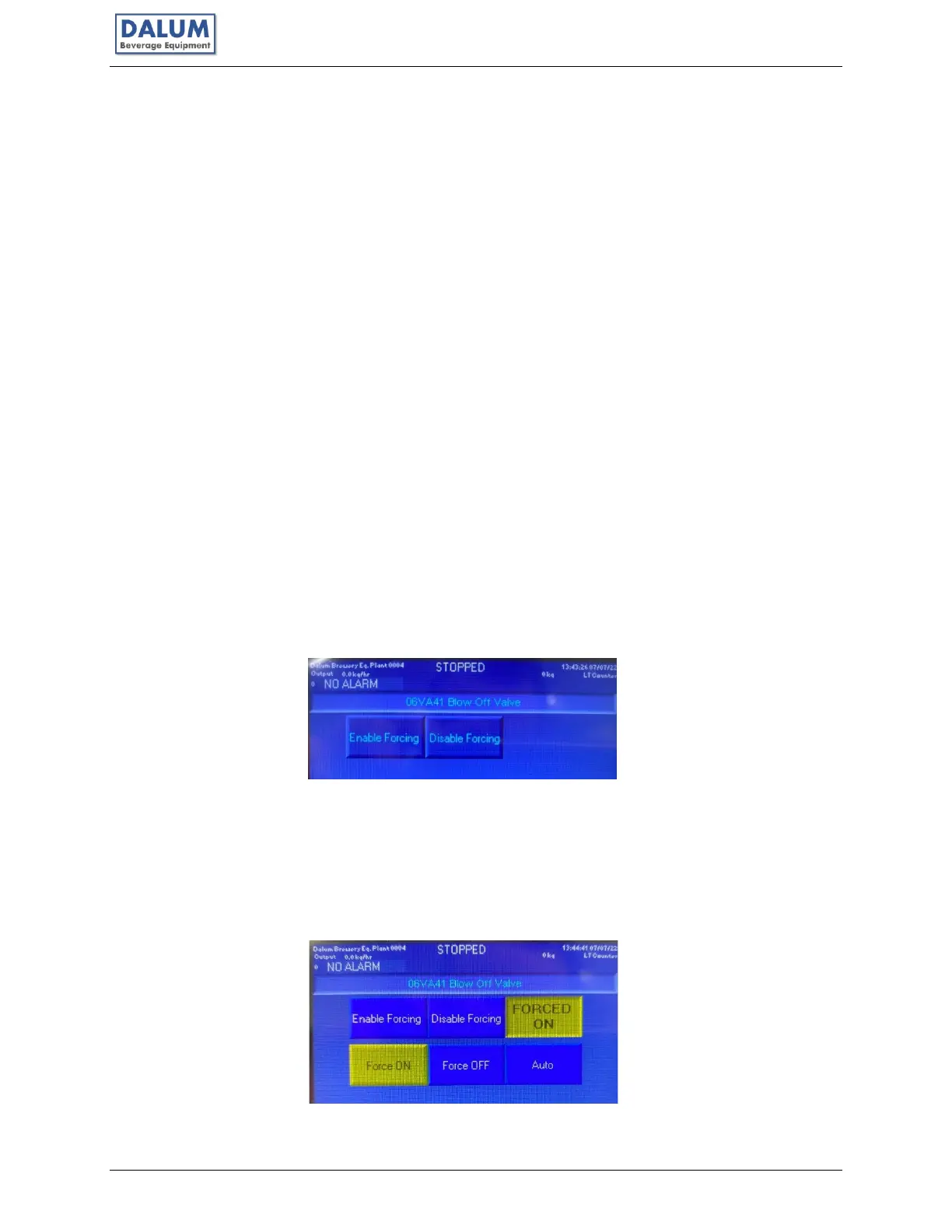
The system has a FORCE function that activates/turns off outputs individually and can only be
used with extreme CAUTION. This feature can be activated in a submenu.
The feature can be activated during operation and turns on warning beacons.
BE CAREFUL, USING THIS FUNCTION IT CAN CAUSE DAMAGE TO THE UNIT IF NOT
DONE CORRECTLY. If any doubts consult with Dalum Beverage Equipment.
With FORCE ON, for example, a valve can be forced to ON at any time. Many of the valves in
the machine have a LED light to indicate if they are ON or OFF. The status of the component
you are currently on in the forcing menu, can be seen in the upper right corner box – being
either AUTO, FORCED ON or FORCED OFF.
FORCE is on until it is either disabled by disabling all forcing by pressing F2 or the disable
forcing button.



 To Next Page