CO2-Recovery Plant 35 EN/2020
4.5.2 Standby ON/OFF
The CO
2
system has a standby function. When the button is pressed, the compressor stops
while the rest of the system is ready, and the dehydrator regeneration continues. On the screen
it says Held. Used during short stop and starts, it activates the red warning light. This function is
used when depressurizing the system.
4.5.3 Depressurizing the system
To depressurize the system is a very important operation to be able to handle. It is important to
have no pressure within the system when doing maintenance. It is also important that it is done
correctly otherwise there is a risk of damaging the desiccant in the dehydrators. The desiccant
is damaged if the pressure drops more than 1-2bar per minute.
Our newest Units have a depressurize function in their PLC programs. To use this:
• Click the Standby ON/OFF on the main page, which brings the Unit to Held.
• Close the manual globe valve on the CO
2
storage tank.
• Navigate to the zoomed in screen of the dehydrators.
• Use the depressurize button – the Unit will depressurize within the next 30 minutes.
To depressurize manually this is the procedure:
BE CAREFUL, USING THIS FUNCTION IT CAN CAUSE DAMAGE TO THE UNIT IF NOT
DONE CORRECTLY. If any doubts consult with Dalum Beverage Equipment.
• Click the Standby ON/OFF on the main page, which brings the Unit to Held.
• Close the manual globe valve on the CO
2
storage tank.
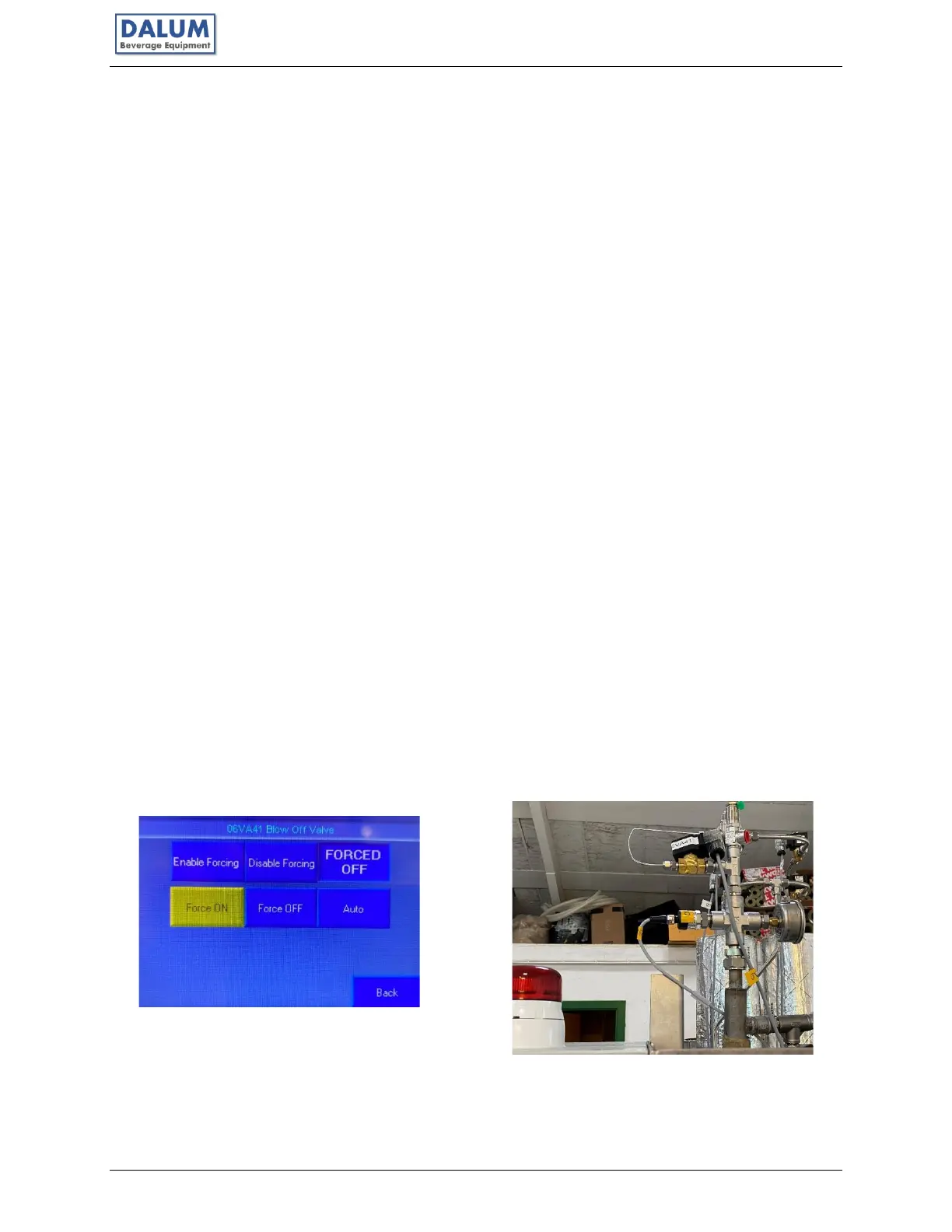
• Navigate to the Mimic Diagram and find the Blow Off Valve - 06VA41
• Use the FORCE function on the Blow Off Valve – turn it to ON (you will now hear
pressured gas leaving the Unit – conduct next step FAST)
• Click OFF as soon as the pressure has dropped 1-2bar.
• Wait for one minute and then repeat FORCING ON and OFF on the Blow Off Valve.
If there are any questions or uncertainties, contact Dalum Beverage Equipment.



 To Next Page