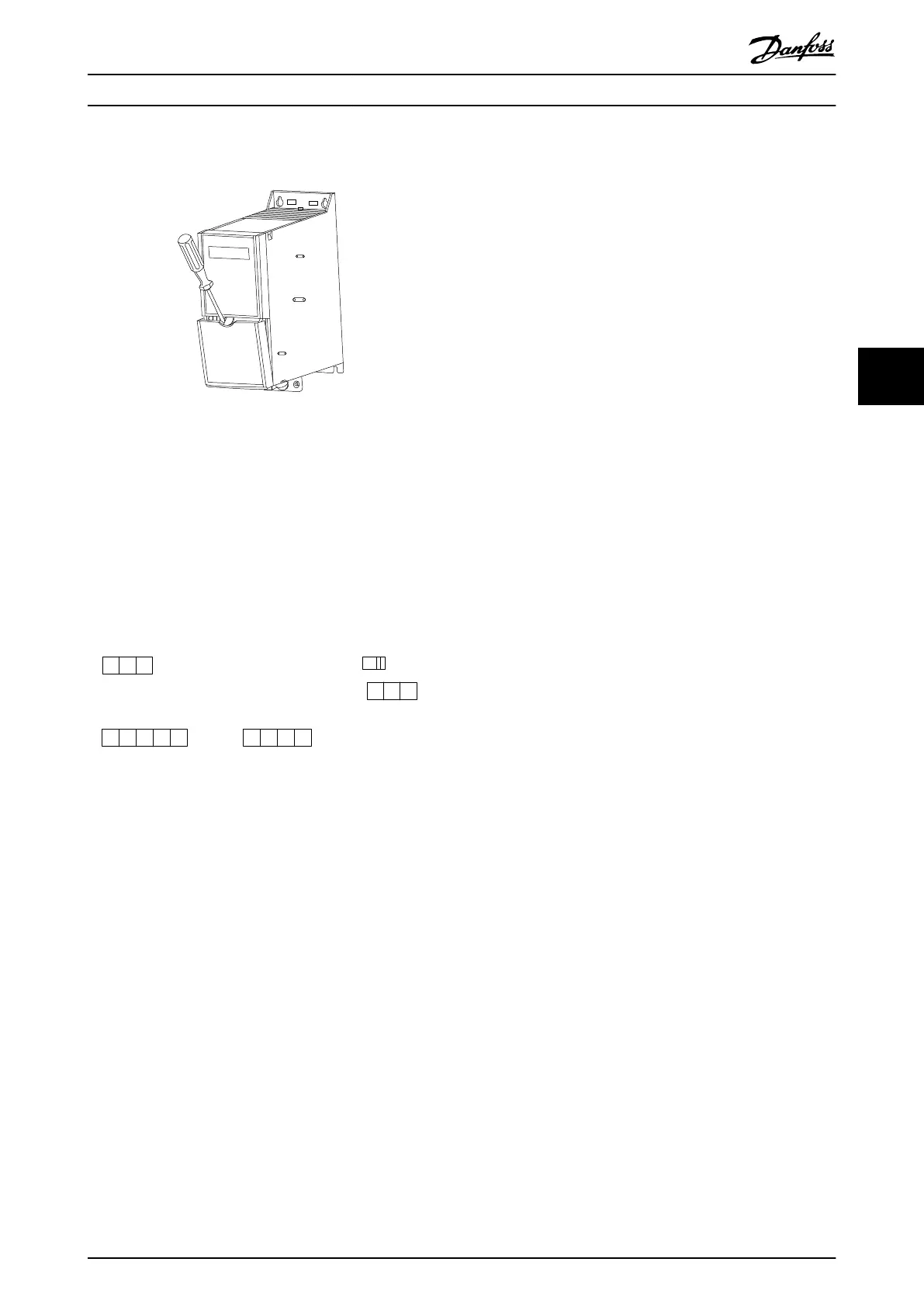
5.2.6 Control Terminals
Illustration 5.9 Location of Control Terminals
1. To activate the snap, place a screwdriver behind
the terminal cover.
2. Tilt the screwdriver outwards to open the cover.
Control terminals
To make the compressor run:
1. Apply start signal on terminal 18.
2. Connect terminals 12, 27, and terminal 53, 54, or
55.
130BB625.11
12 20 55
20
27
29 42 45 55
50 53 54
GND
GND
DIGI IN/OUT
DIGI IN/OUT
61 68 69
N
P
COMM. GND
+24 V
DIGI IN
DIGI IN
10 V/20 mA IN
10 V/20 mA IN
0/4-20m A A OUT/DIG OUT
0/4-20 mA A OUT/DIG OUT
10 V OUT
BUS TER.
OFF ON
Illustration 5.10 Control Terminals
Set the functions of digital input 18, 19, and 27 in
parameter 5-00 Digital Input Mode (PNP is default value).
Set the function of digital input 29 in
parameter 5-03 Digital Input 29 Mode (PNP is default value).
How to Install Design Guide
MG18N202 Danfoss A/S © 12/2015 All rights reserved. 37
5 5





 To Next Page