Page 16 of 56
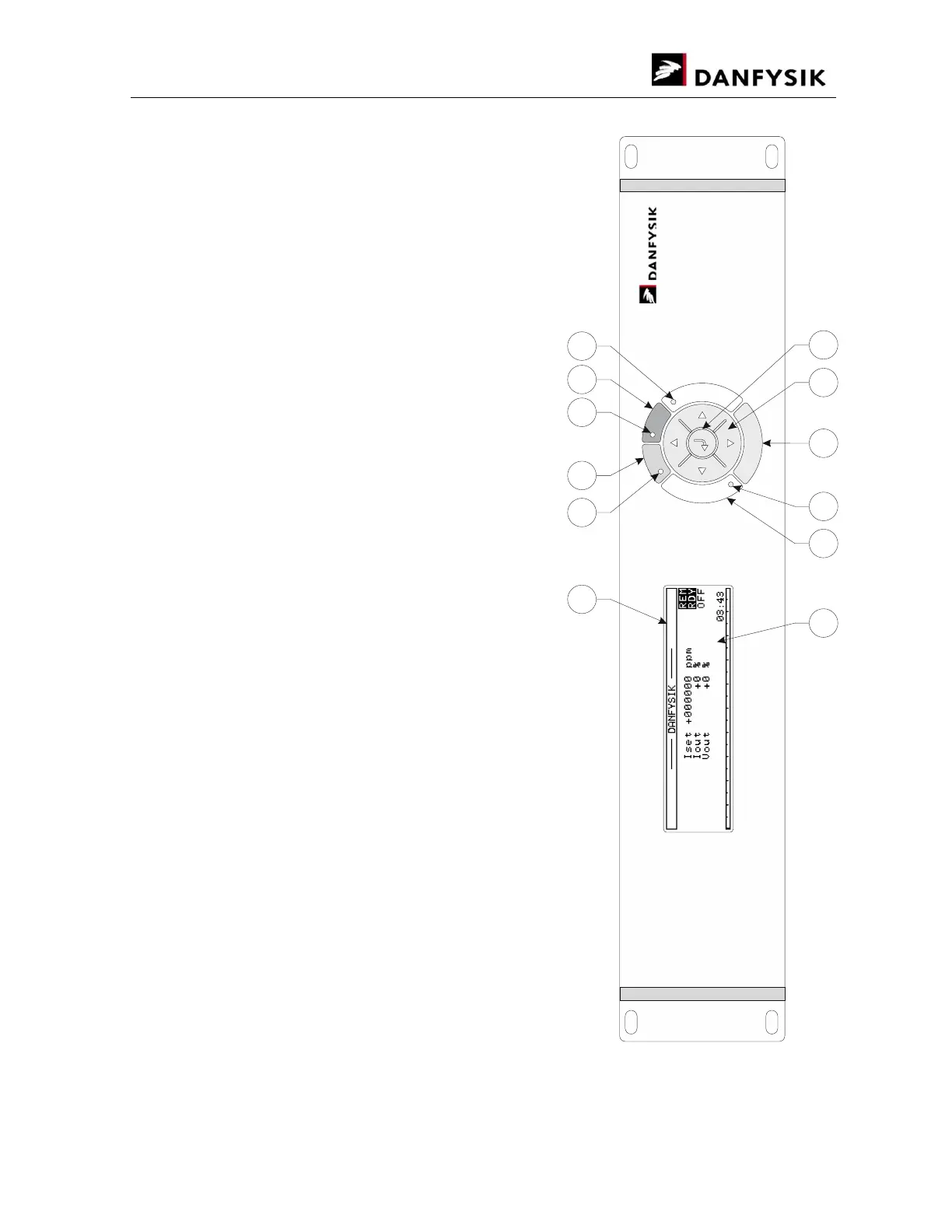
3.2.3. Front panel controls (M-Panel)
1. Graphic display 240*64
2. Main power is "ON" LED.
3. Main power "ON" push button.
4. Main power is "OFF" LED.
5. Main power "OFF" push button.
6. READY LED indicates when the actual output current
is within a predefined limit.
7. Control Power "ON". Back light is lit.
8. Interlock "RESET" push button.
9. Sum Interlock LED.
10. MENU - Enter / Exit pull down menus.
11. Navigation keys.
12. ENTER - Enter / Exit parameter change.
A
R
E
D
Y
R
E
S
E
T
O
N
O
F
F
M
E
N
U
1 2 3 4 5 6
7 8 9 10 11 12


 To Next Page