Dascom DC-7600 User Guide V1.0
1.6 Installing Windows Driver
The driver is the connection and transformation platform between the card printer and
the computer operating system to achieve the interactive processing of the information.
User can set up relevant settings, get print status and etc. via driver. We load the driver
on the attached CD.
The guide steps are operated with Win 10 system.
1.6.1 Installing Windows Driver via USB
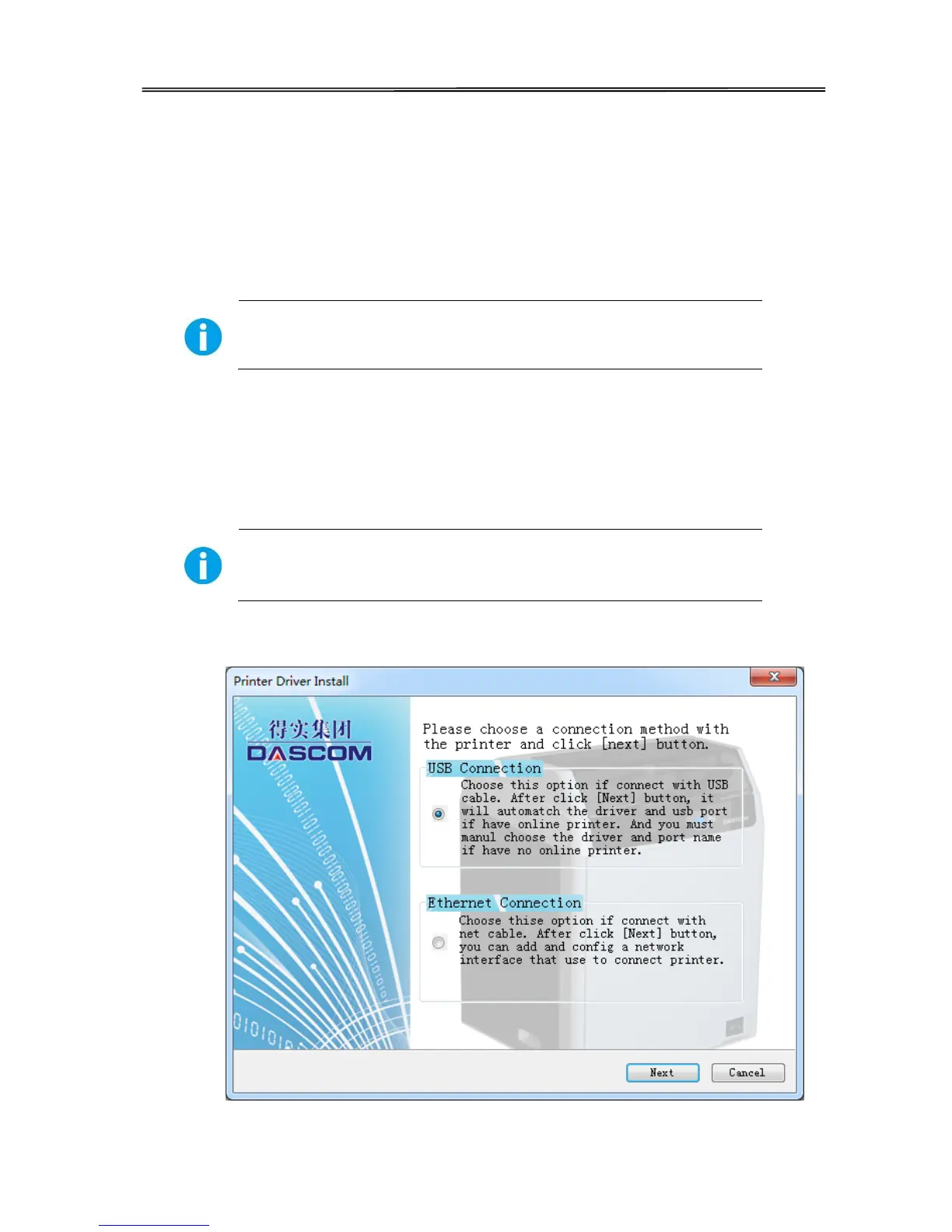
Connect the USB cable to the computer, put the CD-ROM into the computer, then choose print diver
program manual. The program will guide you to finish the whole installation.
Please follow the installer carefully. Some Windows versions require
users to have administrator privileges to install the driver.
(1) Select USB connection. Click “Next”.
14



 To Next Page