Dascom DC-7600 User Guide V1.0
2.1.2 Setting the Card Thickness
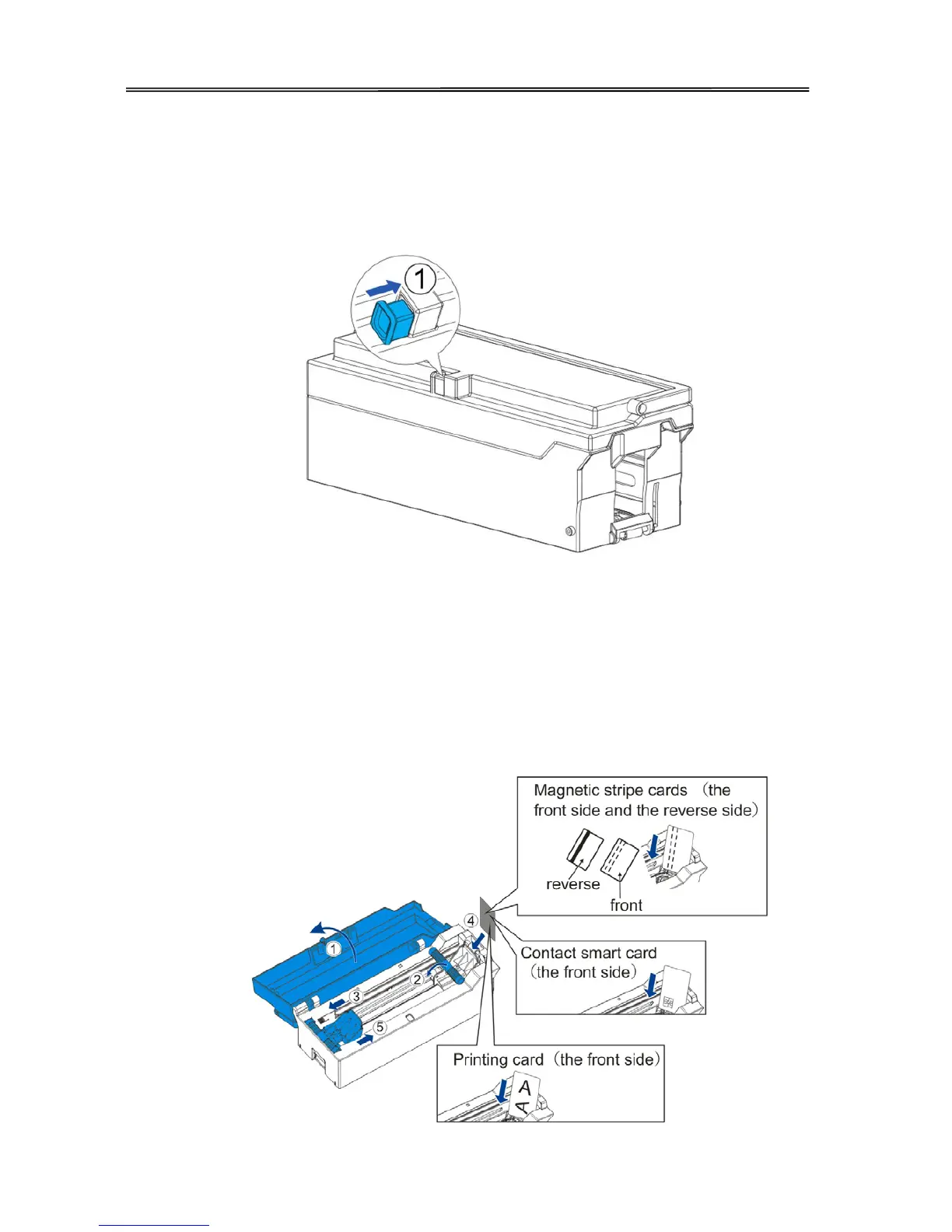
Install the card to the Card cassette.
(1) Push the slot button to the right, the slot cover will be released.
(2)
○
1E
A
Open the slot cover backwards;
A○
2E
AMove the card block lever to the left;
A○
3E
APress the lever handle with your hand and move the card to the left;
A○
4E
A
At the same time insert the card into the slot. Release the lever handle, the block return to fix the
card.
A○
5E
AMove the lever to the right, close the cassette.
23



 To Next Page