Dascom DC-7600 User Guide V1.0
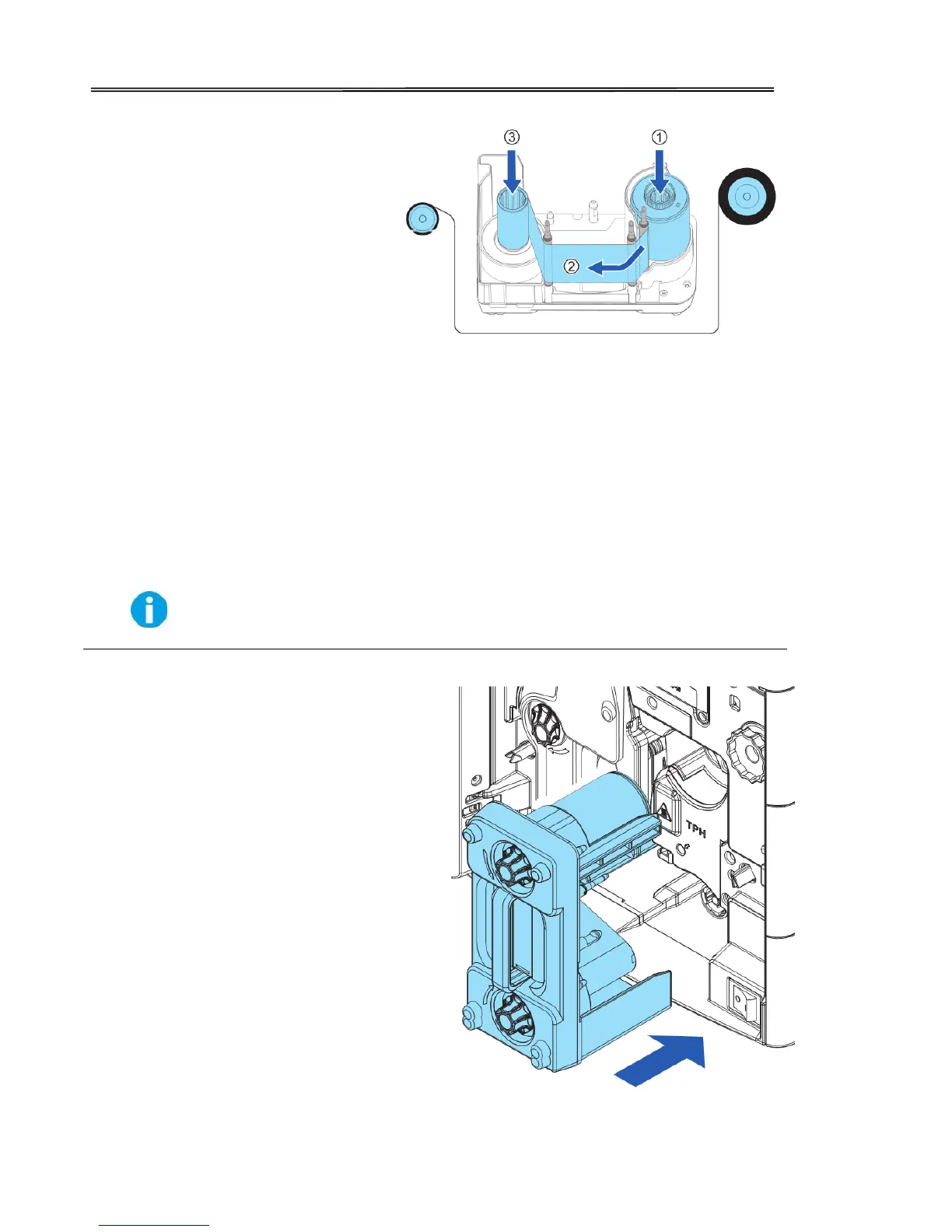
To load a new ribbon onto cartridge,
place or engage orange spoolof
ribbon to feeding hub of the cartridge.
route the film around three guiding
poles.
Finally engage the black spool to the
winding hub of cartridge.
Apply some force to push in the spools to the hubs.
The ribbon should be slightly tightened and not slanted.
As shown in the right diagram, push in
the ribbon cartridge to the far end until
a “click” is heard to indicate correct
insertion.



 To Next Page