Dascom DC-7600 User Guide V1.0
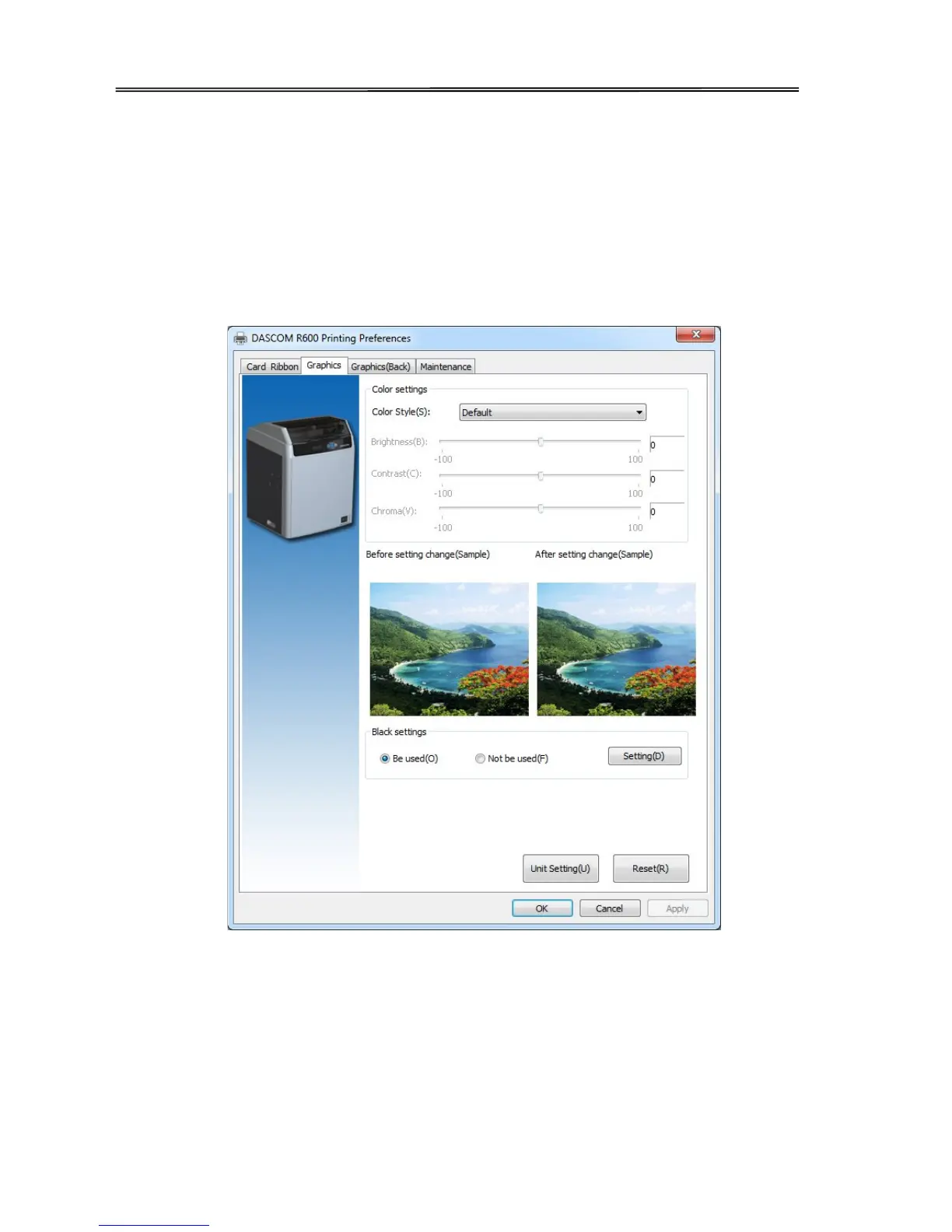
“Graphic Setting” Tabs
• Color setting
User can get the proper color via settings. User can also adjust the color brightness, contrast and chroma.
• Settings of Black ribbon using
User can print black via print K color or YMC secondary colors and K color. As well as, user can choose
monochrome printing, color printing, set the black valid area and the black invalid area.
“Black ribbon settings”
• Monochrome printing or color printing
Choose the card which is monochrome printing or color printing.
• The printing method of black data.
Set black color via using K color to print or using YMC secondary colors and K color to print.
• The valid area of black printing
48



 To Next Page