Handbuch Datafox EVO 3.5 Pure Seite 16 Datum: 06.08.2018 Version: 04.03.07.XX
5.3.2. Display setup and bios of the EVO-Line 3.5 Pure
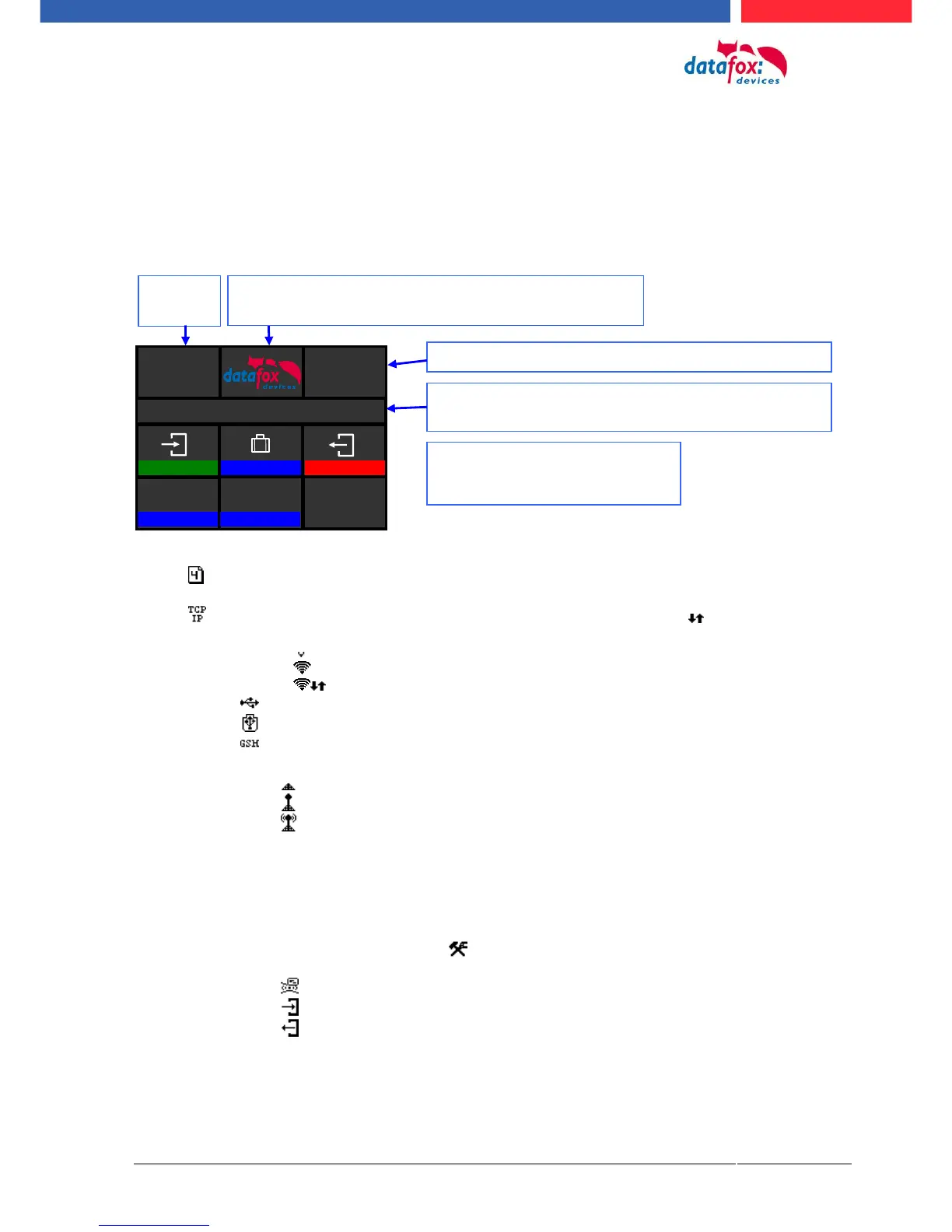
5.3.2.1. Structure display "normal display" 2.8/3.5
The entire display surface is provided with a touch. Just tap with your finger on the tile you want to
select.
Date Time corresponds to the system time of the device that is also used for the data records.
Number of records in memory (displays up to 99, thereafter 99+).
Communication tile with symbols for:
TCP /IP During active communication this symbol will be displayed,
o Wifi communication
Wifi is activated as the main communication
Wifi connected
Wifi communication active
o USB
o USB Host (save the data to USB - Stick)
o GSM with state display e.g.[30].
o GPRS with state display e.g. [33] please refer „state messages on display“.
cellular modem switched off
cellular modem switched on but no connection to the provider.
cellular modem switched on, active connection to the provider.
Indication on display
o In the main menu the header two of the setup is displayed.
o In menus and input chains, the header lines 3 and 4 from the setup are displayed.
o During the transmission of a setup or a firmware update, the device switch into a system stop
mode and displays this symbol „ system stop“ in this tile.
o Display in the left area of the tile:
= transponder input (take over value of transponder)
= check in
= check out



 To Next Page