EasyManua.ls Logo

Datafox EVO 3.5 Pure - Location Selection in the Bios Menu WLAN; Recommended Setting

Datafox EVO 3.5 Pure
135 pages
Print Icon
To Next Page IconTo Next Page
To Previous Page IconTo Previous Page
Loading...
Handbuch Datafox EVO 3.5 Pure Seite 40 Datum: 06.08.2018 Version: 04.03.07.XX
5.8.5.3. Location selection in the Bios menu WLAN
5.8.5.4. Recommended setting
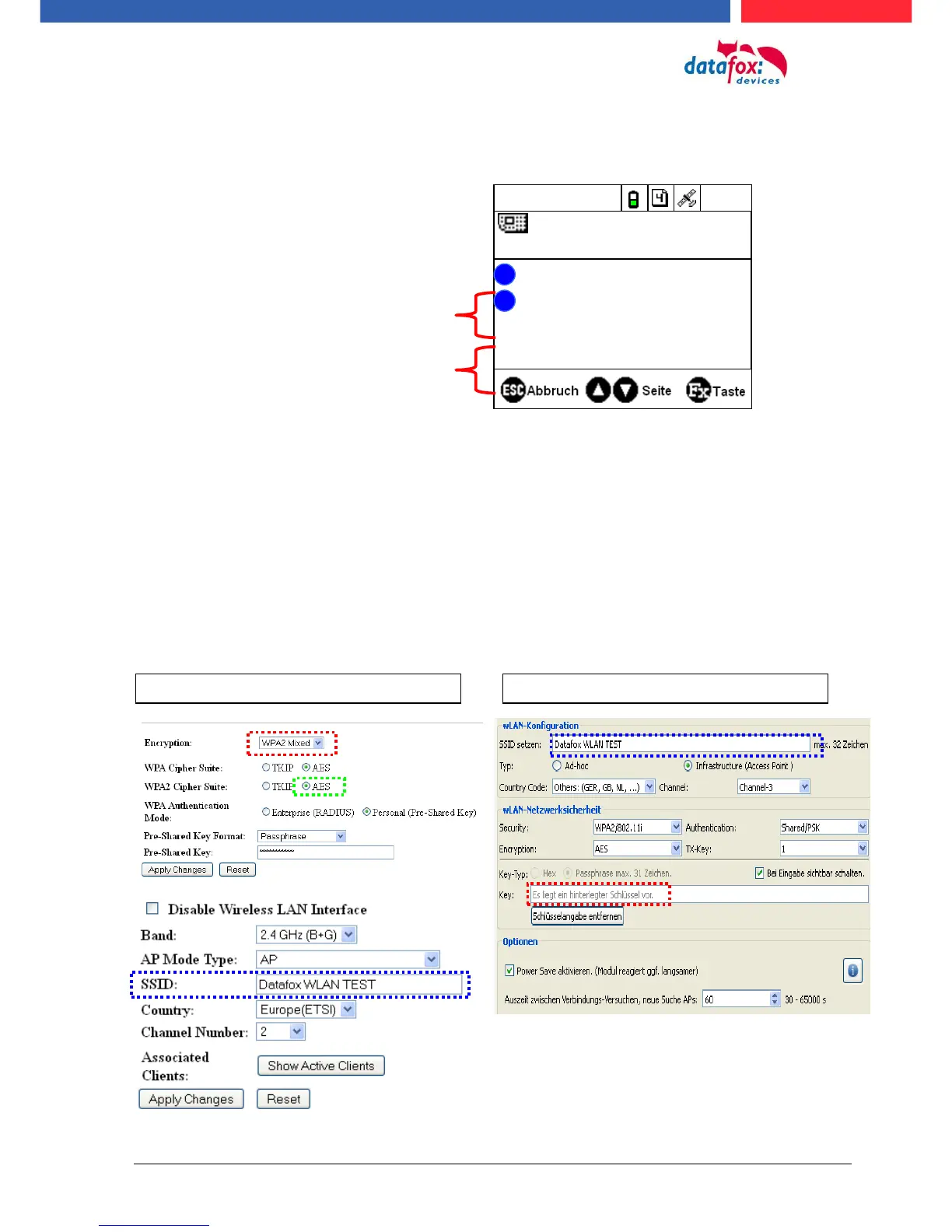
We recommend the following setting:
- WPA2
- AES
- Shared/PSK
Datafox uses the following access points internally for testing:
- Longshine LCS-WA5-45 IEEE802.11g
- WatchGuard XTM WEB UI
- Longshine IEEE802.11n
- TP-Link WR841N v6/v7 00000000
Setting StudioIV_WLAN-Device
Setting Access-Point
15.08.11 11:28:08
Datafox Support 74db
F1
F2
Datafox Gast 74db
Standort Geisa 86db
FA Muster 90db
Bios
Akt. Konfig.
?
?
All available WLAN networks are dis-
played in the Bios.
A configuration is stored for these networks
and can be selected.
These two networks were found by the
WLAN module, but there is no dial-in da-
ta available.

Table of Contents

Other manuals for Datafox EVO 3.5 Pure

Related product manuals