Handbuch Datafox EVO 3.5 Pure Seite 19 Datum: 06.08.2018 Version: 04.03.07.XX
Transponder menu
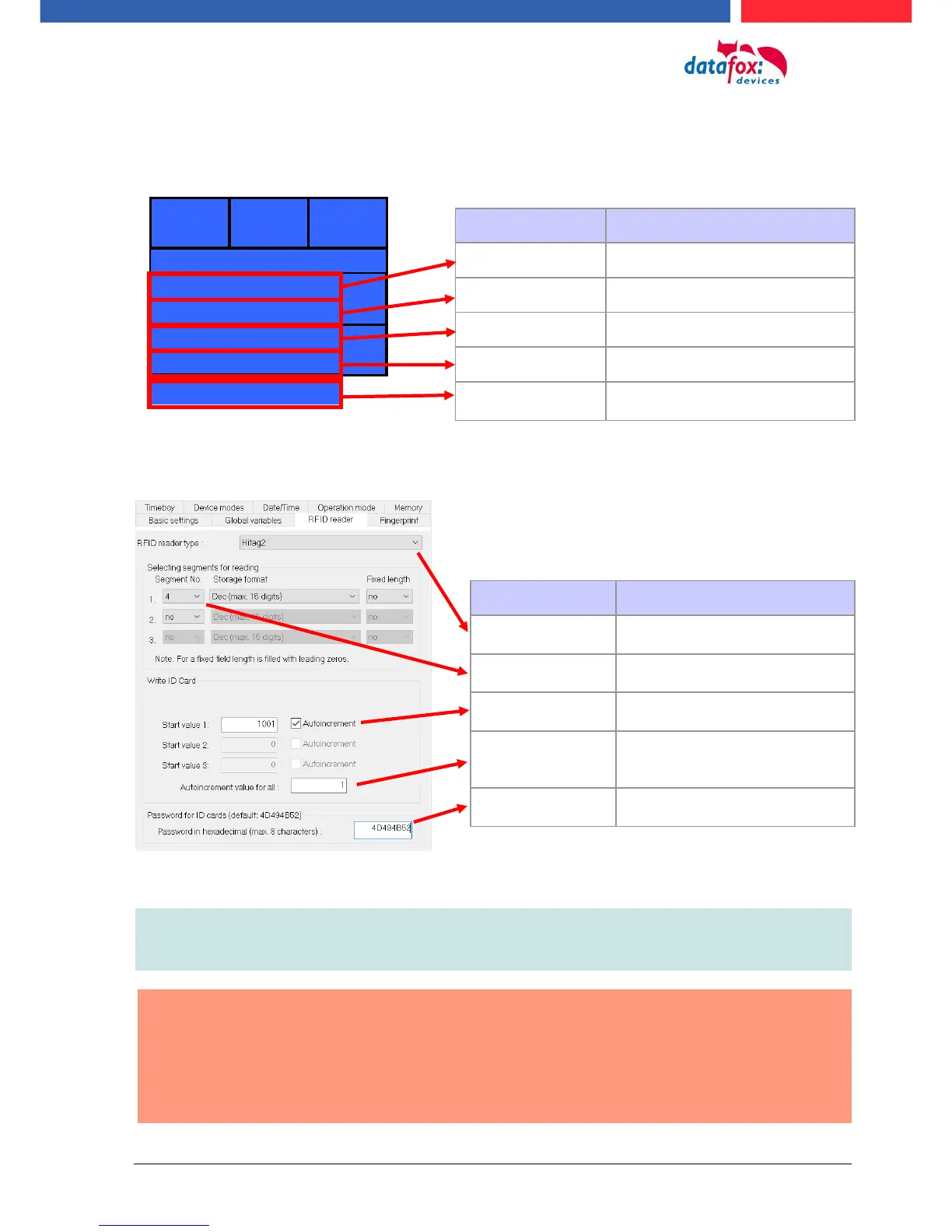
The transponder settings can also be set in the setup.
Some settings to write the transponders must be adjusted in the setup.
Note:
If IDs are to be written with a password,
the password must first be programmed on them.
Attantion:
In the setup a programmable transponder type and a programmable segment must be
set. Ex.:
- Hitag 2 -> from segment 4
- Mifare Classic -> from sector 0 block 1
Otherwise, only the type and version of the transponder reader will be displayed.
Type of the transponder reader
version of the transponder reader
Start in the 4th segment with the
value you set.
Here, the correct transponder
type must be specified
In which segment should be
written / read
Defines the starting value of the
number to be programmed
When activated, the program-
ming value always counts up
the final number
The password to write / read
the ID



 To Next Page