TCP/IP COMMUNICATION
51 SMART-VS PLUS
DEVICE CONTROL COMMANDS
These commands allow to remotely control some features of the device. They are
encoded in ASCII with a defined grammar.
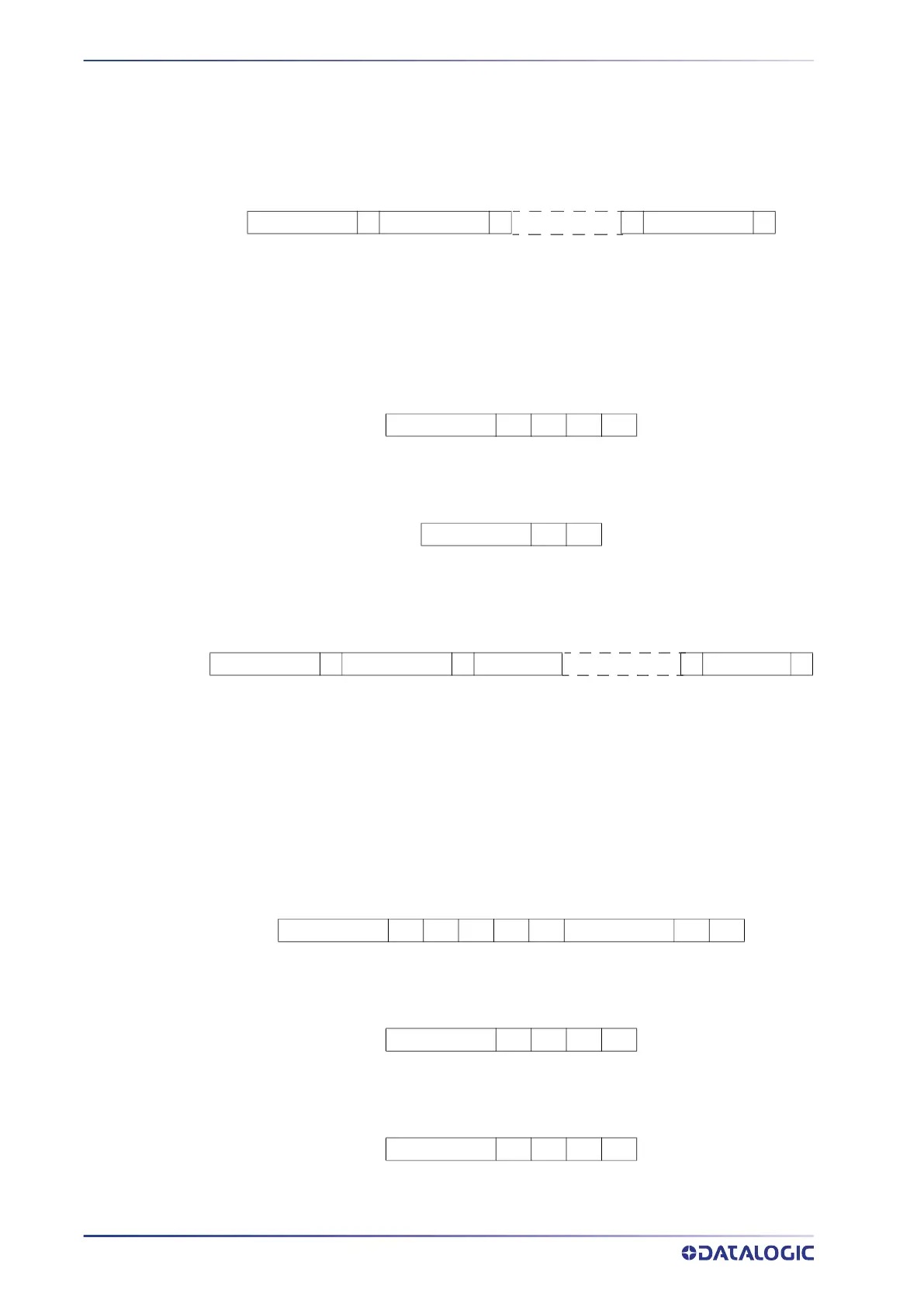
Command format
Figure 25: Control command frame structure
• Command → encoding containing the command.
• S → separator.
• Parameter 1-N→ command parameter list. The number of parameters is variable.
• D → Delimiter.
Example of command with one parameter:
Figure 26: Example using command with one parameter
Example of command without parameter:
Figure 27: Example of using a command without parameters
Reply format
Figure 28: Control command reply frame structure
• Command → command to which the reply is related.
• Return Code → contains the result of the command, a code that identifies
whether the command was accepted or not, and identifies the type of error (See
Tabella 2 on page 53).
• S → separator.
• Value 1-N → return values of the command. It depends on the type of command.
• D → Delimiter
Positive reply example with return values:
Figure 29: Example of reply to a successful command with return values
Positive reply example with no return values:
Figure 30: Positive reply example with no return values
Example of a negative reply:
Figure 31: Example of a reply to a failed command
Command S Parameter 1 S S Parameter N D
CNGJB ; 1 CR LF
GTRJB CR LF
Command S Return Code S Value 1 S Value N D
GTRJB ; 0 ; 15 ; Job Name CR LF
CNGJB ; 0 CR LF
CNGJB ; 1 CR LF



 To Next Page