80 I-Class
5.3 Maintenance Schedule
The following list and table detail the recommended items, techniques, and
schedules to help you safely and effectively maintain the printer.
Isopropyl alcohol
Cotton swabs
A clean, lint-free cloth
Soft-bristle brush
Soapy water/mild detergent
Compressed air
CAUTION
For your safety and to avoid damaging the printer, turn ‘Off’ and
unplug the printer before cleaning; and take proper precautions
when using isopropyl alcohol, a flammable liquid.
Re comme nded Cle aning Sc he dule
Area Method Interval
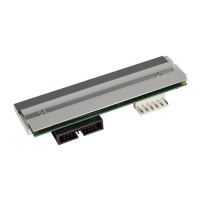
Printhead Using a cotton swab dampened with
isopropyl alcohol, clean the printhead
from end to end, removing all build-up.
See Section 5.3.1.
Clean after each roll
or box of labels, or
after each roll of
ribbon.
Platen
Roller
Using a cotton swab dampened with
isopropyl alcohol, rotate the platen and
remove all build-up. See Section 5.3.2.
Clean after each roll
or box of labels, or
after each roll of
ribbon.
Media
Path / Tear
Plate
Compressed air / soft-bristle brush and
isopropyl alcohol. Remove all build-up
along the path that the ribbon and paper
follow through the printer.
As needed, based on
a weekly visual
inspection.
Media
Sensor
Compressed air. If needed, a swab
dampened with isopropyl alcohol.
Remove all build-up.
Monthly or as
needed.
Interior Soft-brush or compressed air. Remove
all build-up. See Section 5.3.3.
As needed.
Exterior Mild detergent. Remove all build-up. See
Section 5.3.3.
As needed.
Cutter Refer to the documentation supplied with the option.
Scanner Refer to the documentation supplied with the option.













 To Next Page