Passport 2®/Passport 2 LT™ Service Manual 0070-10-0441 6 - 3
Calibration Procedure Diagnostics
6.4 Diagnostics
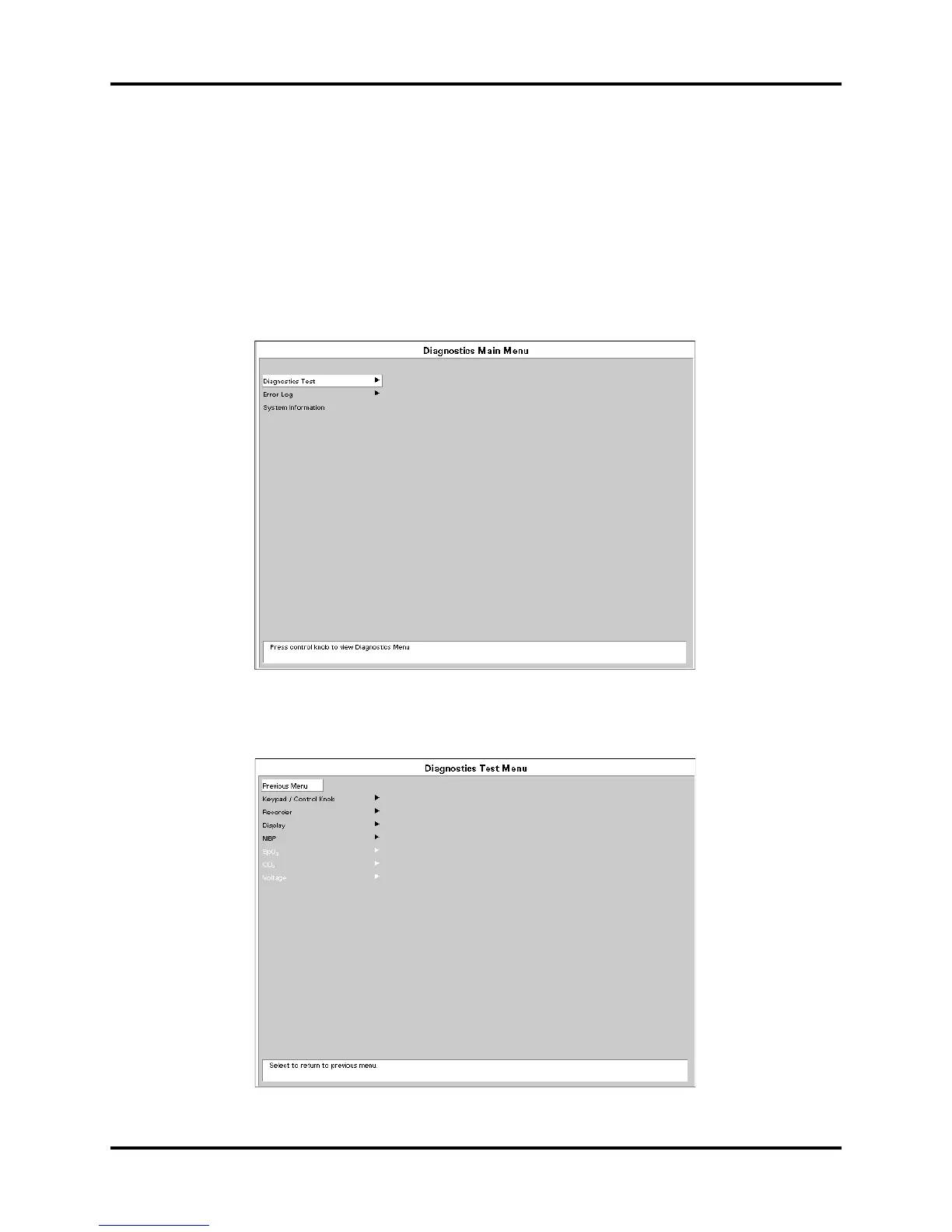
To enter the diagnostic mode:
1. Turn the power off.
2. Press and hold the FREEZE key and turn the unit on. The Diagnostics Main Menu
will appear on screen. Release the FREEZE key.
3. Rotate the Control Knob to move the cursor up and down to the Diagnostics Main
Menu. Pressing the control knob will select the desired test and open the second menu
for testing.
FIGURE 6-1
6.4.1 Diagnostic Test Menu
FIGURE 6-2


 To Next Page