Passport 2®/Passport 2 LT™ Service Manual 0070-10-0441 6 - 19
Calibration Procedure Verification
6.5.2.3 Pacer Detect
1. Set the Pacer Enhancement feature “on” in the ECG Setup menu.
2. Set the ECG simulator to Ventricular Pacer.
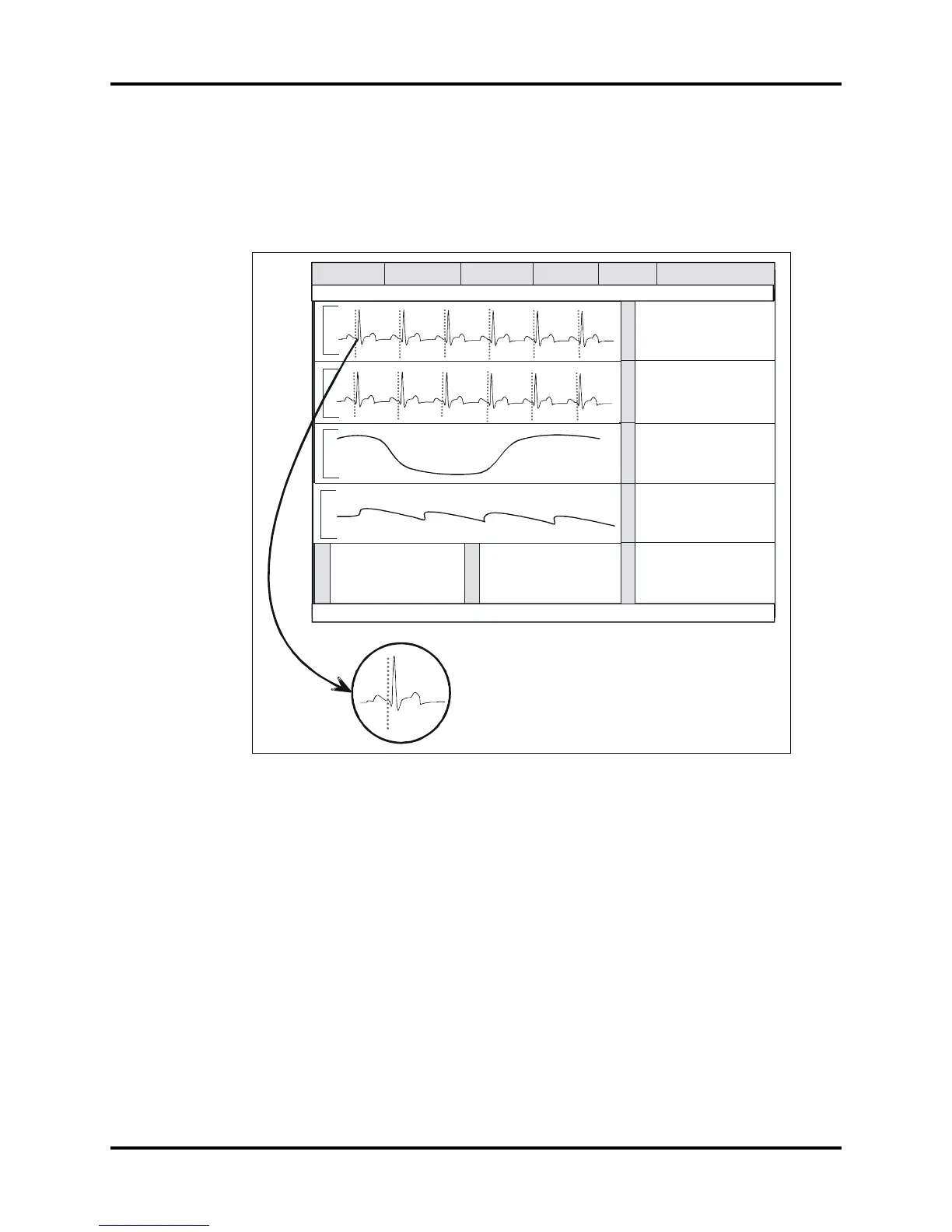
3. Verify the pacer pulse (yellow line) is displayed before the R wave of the QRS signal.
FIGURE 6-19
6.5.2.4 Heart Rate
1. Set the ECG simulator to ECG QRS waveform. Set the rate to 251 bpm.
2. Verify the Rate display is 251 ± 5 bpm.
3. Decrease the rate to 30 bpm and allow signal to stabilize. Verify that the rate display is
30 bpm ± 3 bpm.
E
C
G
S
T
C
O
2
S
P
O
2
N
I
B
P
T
E
M
P
P
1
Message Area A
Patient / ADT
Monitor Setup Printer Setup Parameters
Functions
Doe, John Adult
Message Area B
HR
80
Source - R
BPM
Lead
II
V2
V3
mm
+0.2
-0.1
-0.3
Insp Exp
1
/ 38
mmHg
RR (CO2) 14 bpm
Spo2
97
%
81
bpm
PR
120 / 80
Sys Dia
Mean (93)
Interval : Off ET: 13 min
T1
36.7
C
o
125 / 82
Mean (94)
Sys Dia


 To Next Page