53
5.6 CG
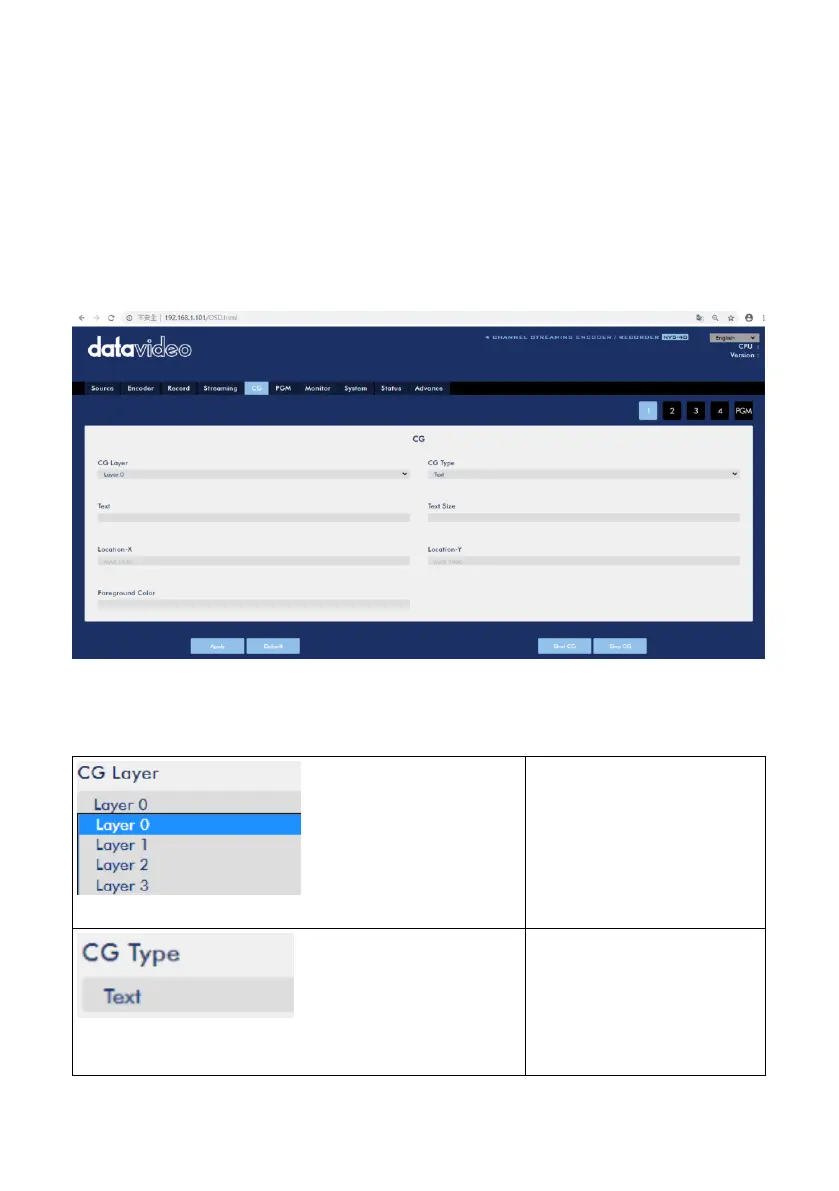
After pressing the CG option on the web control interface, users can see the CG
option control page. There are five tags including tag 1, tag 2, tag 3, tag 4 and PGM
for users to set different CG parameters for Channel 1, Channel 2, Channel 3,
Channel 4 and PGM. After all CG parameters are set, users can press “Start CG” and
“Stop CG” button to overlay desired characters or pictures to specific input source or
PGM. Moreover, it allows users to remove the CG from specific input source or PGM.
Please see following diagram for the main interface of the CG option.
The parameters for CG option drop-down menus are shown as following table.
CG Layer
Users can select different
CG layers to determine
their desired layer to
place characters or
pictures
CG Type
Users can select character
or picture to be the CG
source from this drop-
down menu.



 To Next Page