dCS 900E / 902E User Manual Manual for Software Versions 1.3x to 1.5x
dCS Ltd 12
th
June 2000
Manual part no: DOC0029021E1 Page 12 Document No: OS-MA-D0002-902.1E1
Contact dCS on + 44 1799 531 999 email to: more@dcsltd.co.uk
(inside the UK replace + 44 with 0) web site: www.dcsltd.co.uk
Front Panel
A to D Converter
dCS 902
Data Conversion Systems
2
4
9
dCSdCS
BIT
kHz
Sample
Rate
Multiplier Mute
Word
Length
Noise
Shaping
Overload
Level
Overload Master Slave
Output
Format
MENU
Step Set
kS/s
Sample Rate
6
A to D Converter
dCS 900
Data Conversion Systems
2
4
dCSdCS
BIT
Sample
Rate
Mute
Word
Length
Noise
Shaping
Overload
Level
Overload Master Slave
MENU
Step Set
kS/s
Sample Rate
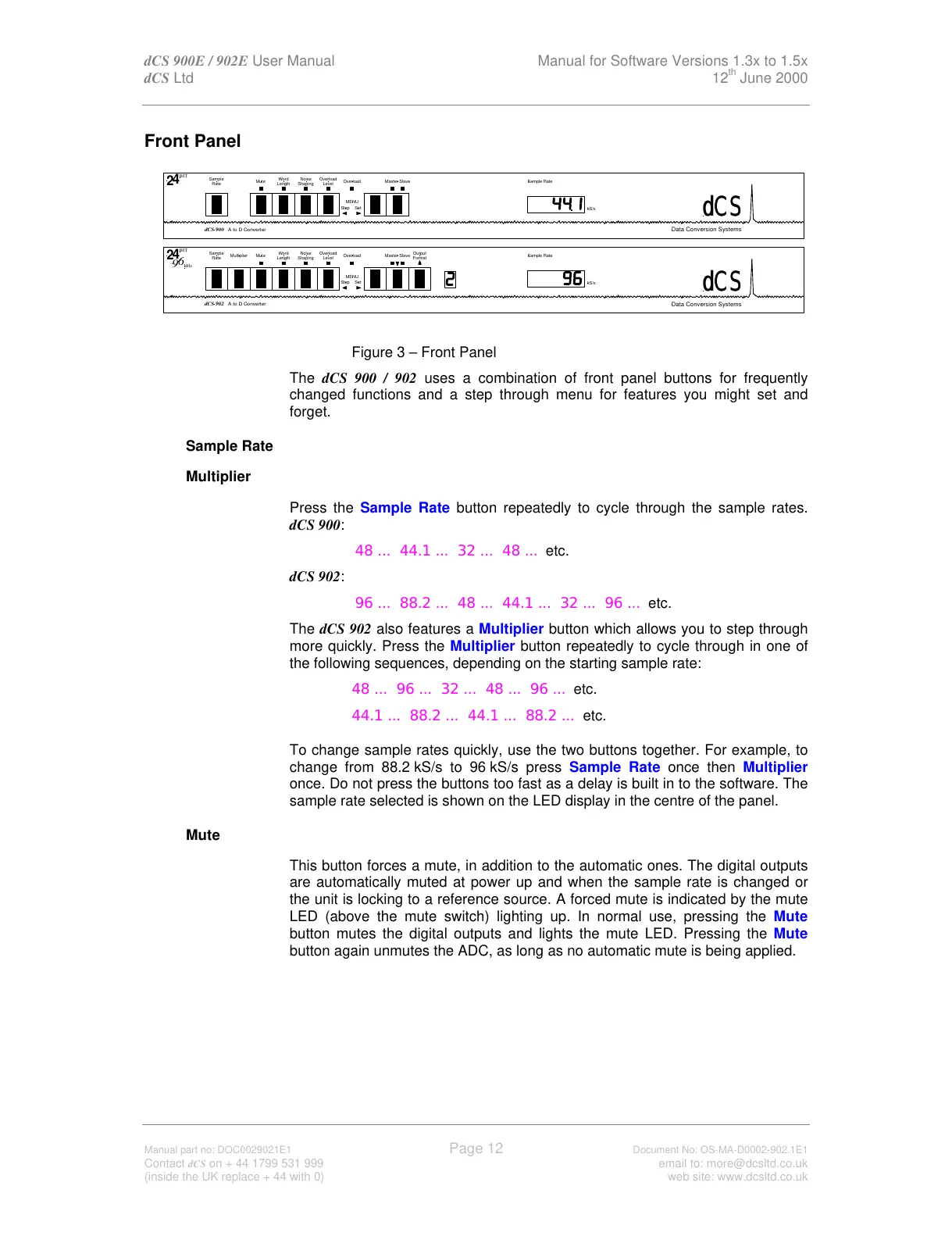
Figure 3 – Front Panel
The dCS 900 / 902 uses a combination of front panel buttons for frequently
changed functions and a step through menu for features you might set and
forget.
Sample Rate -
Multiplier -
Press the Sample Rate button repeatedly to cycle through the sample rates.
dCS 900:
48 ... 44.1 ... 32 ... 48 ... etc.
dCS 902:
96 ... 88.2 ... 48 ... 44.1 ... 32 ... 96 ... etc.
The dCS 902 also features a Multiplier button which allows you to step through
more quickly. Press the Multiplier button repeatedly to cycle through in one of
the following sequences, depending on the starting sample rate:
48 ... 96 ... 32 ... 48 ... 96 ... etc.
44.1 ... 88.2 ... 44.1 ... 88.2 ... etc.
To change sample rates quickly, use the two buttons together. For example, to
change from 88.2 kS/s to 96 kS/s press Sample Rate once then Multiplier
once. Do not press the buttons too fast as a delay is built in to the software. The
sample rate selected is shown on the LED display in the centre of the panel.
Mute -
This button forces a mute, in addition to the automatic ones. The digital outputs
are automatically muted at power up and when the sample rate is changed or
the unit is locking to a reference source. A forced mute is indicated by the mute
LED (above the mute switch) lighting up. In normal use, pressing the Mute
button mutes the digital outputs and lights the mute LED. Pressing the Mute
button again unmutes the ADC, as long as no automatic mute is being applied.



 To Next Page