dCS 900E / 902E User Manual Manual for Software Versions 1.3x to 1.5x
dCS Ltd 12
th
June 2000
Manual part no: DOC0029021E1 Page 8 Document No: OS-MA-D0002-902.1E1
Contact dCS on + 44 1799 531 999 email to: more@dcsltd.co.uk
(inside the UK replace + 44 with 0) web site: www.dcsltd.co.uk
Getting Started
Here’s what to do:
(If the unit does not behave the first time you power up – contact your dealer, or
dCS.)
do this: Check the appropriate mains supply for your local mains is marked on the
rear panel.
do this: If it is, using the lead supplied, connect the unit to the mains - connect no
other leads at this stage - and switch on.
The unit will test itself for a few seconds while displaying:
t E S t
Next, the main display will briefly show:
- - - - -
or
- - - - 2
and then the sample rate, for example:
44.1
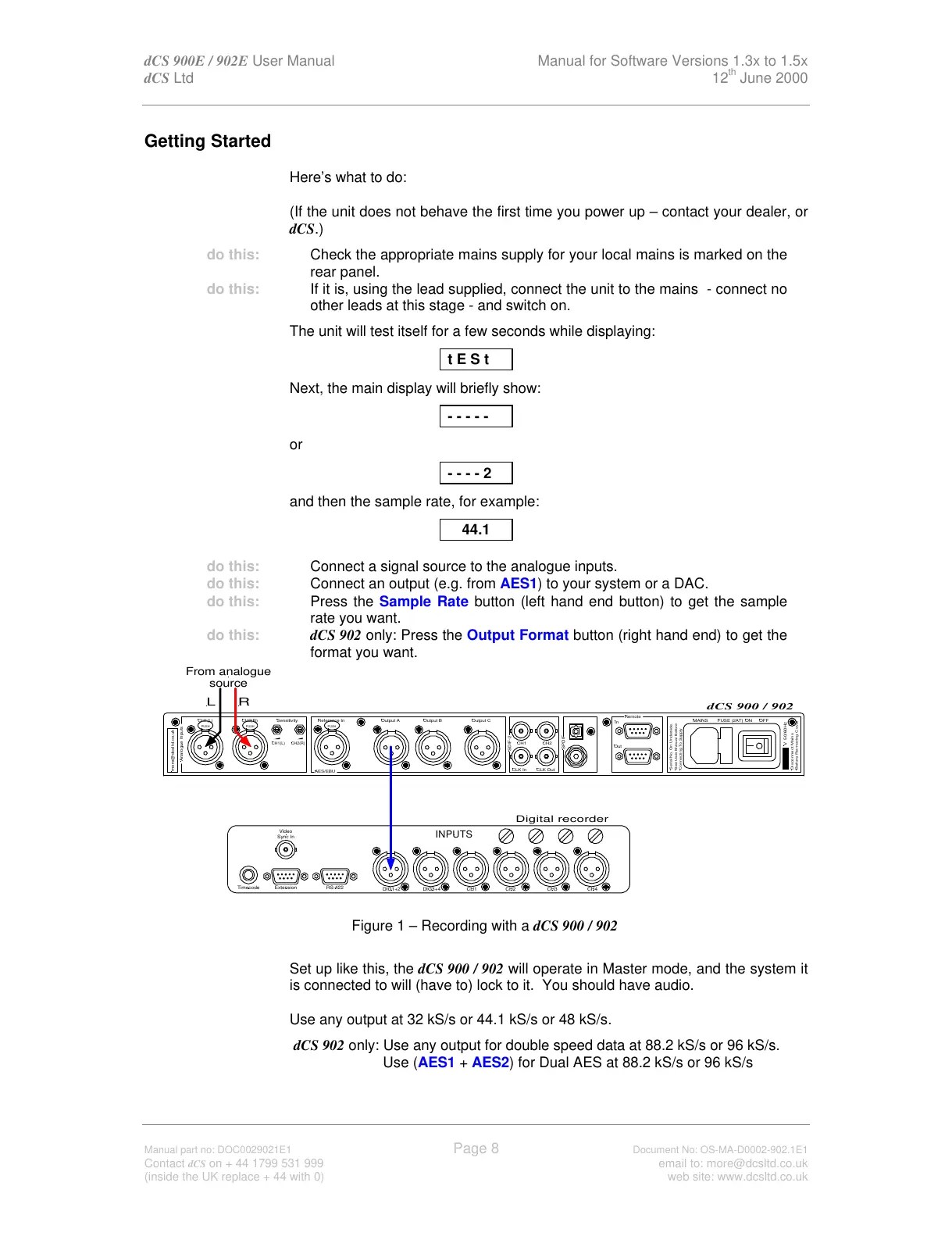
do this: Connect a signal source to the analogue inputs.
do this: Connect an output (e.g. from AES1) to your system or a DAC.
do this: Press the Sample Rate button (left hand end button) to get the sample
rate you want.
do this: dCS 902 only: Press the Output Format button (right hand end) to get the
format you want.
Figure 1 – Recording with a dCS 900 / 902
Set up like this, the dCS 900 / 902 will operate in Master mode, and the system it
is connected to will (have to) lock to it. You should have audio.
Use any output at 32 kS/s or 44.1 kS/s or 48 kS/s.
dCS 902 only: Use any output for double speed data at 88.2 kS/s or 96 kS/s.
Use (AES1 + AES2) for Dual AES at 88.2 kS/s or 96 kS/s
SPDIF
Reference In
AES/EBU
CH1(L)
Analogue Inputs
more@dcsltd.co.uk
CH2(R)
CH1(L)
Sensitivity
CH2(R)
Output BOutput A
SDIF-2
CH1 CH2
CLK OutCLK In
Output C
Remote
See User Manual Before
Connecting To Supply
Serial No. On Underside.
Out
In
MAINS ON OFF



 To Next Page