G3
™
User’s & Installation Manual
7/October/2020
15
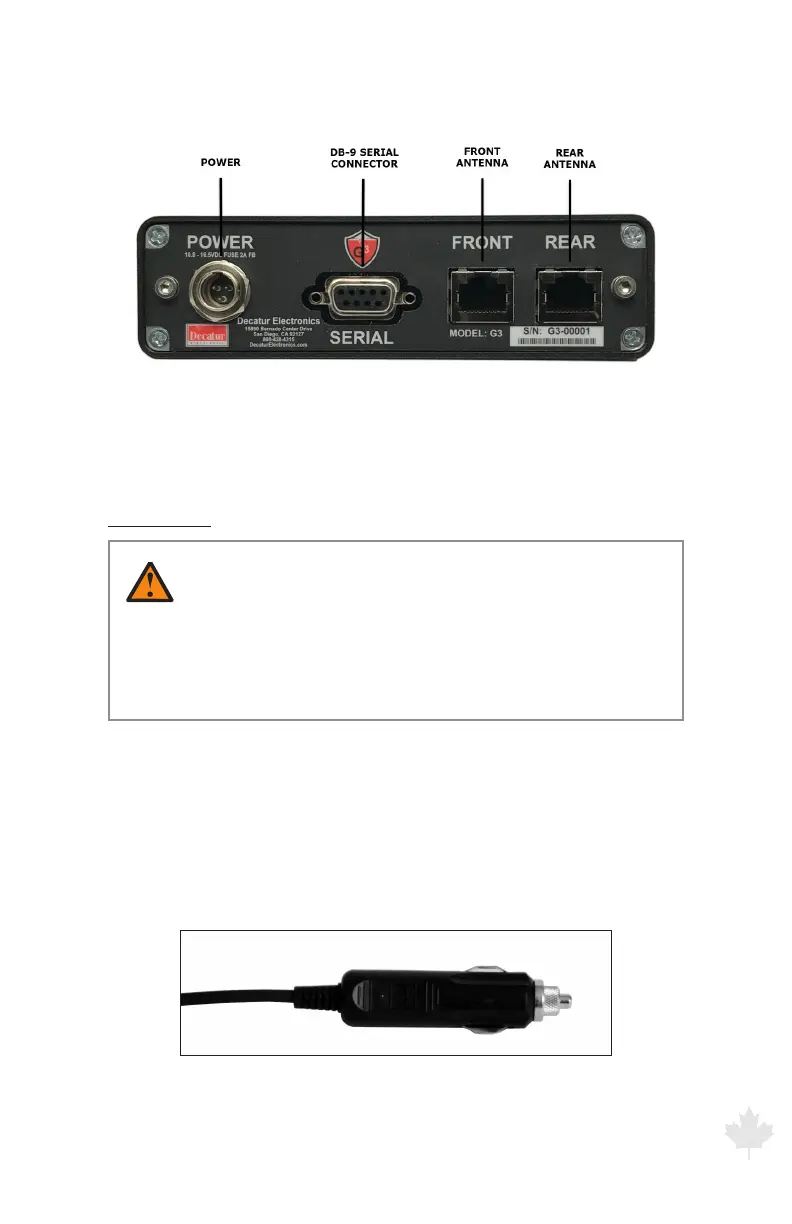
Figure 2.2a
The antenna quick-disconnect connectors plug
into the computer unit in the above locations.
Power Cable
WARNINGS
• Besuretoplugthepowerconnectorintothecomputer
unit rst before plugging the power plug into the
auxiliary power source. If the power source is on, it may
damage the unit.
The power cable has a 12-volt power plug (cigar plug) on one end.
Make sure the plug ts securely in the motor vehicle’s auxiliary power
(cigarette lighter) receptacle. Attached the other end to the power
connector by aligning the cable so the black dot is up and press until
it clicks. To remove press the black dot and pull.
Figure 2.2b
The cigar plug for the auxiliary power receptacle.



 To Next Page