G3
™
User’s & Installation Manual
7/October/2020
27
Stationary Approach Only
Only tracks motor vehicles approaching the patrol motor vehicle.
Stationary Recede Only
Only tracks motor vehicles receding away from the patrol motor
vehicle.
While in stationary mode, the G3™ will display dierent direction
information depending on whether the radar is in Approach or
Recede mode and whether an antenna is activated. If an antenna
is activated, arrows to the right of the target and fast windows will
illuminate to communicate the direction the target motor vehicle
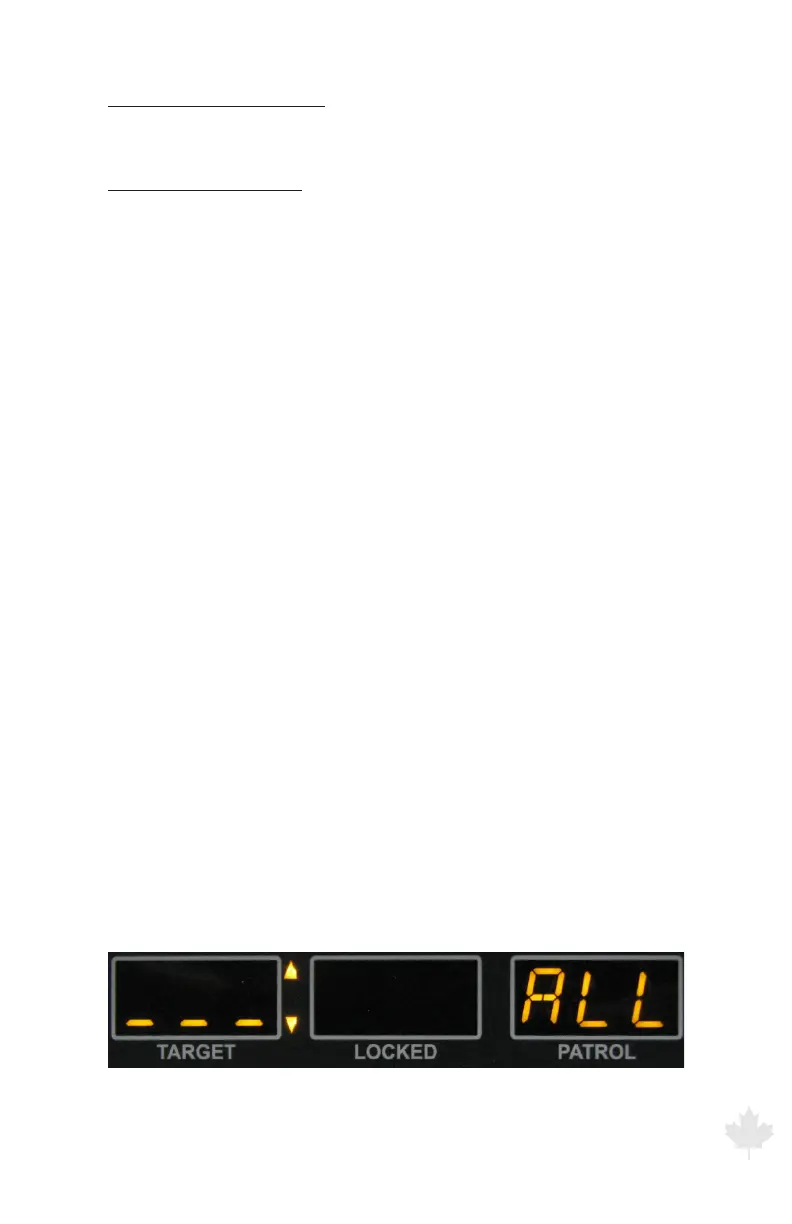
is traveling. If neither antenna is activated (transmitting), then G3™
will display direction information in the patrol window as “ALL” for All
targets, “APP” for Approach only or “REC” for Receding only targets.
To select a Stationary Mode of operation, press and hold the MODE
button for two seconds.
After the “Stationary All” mode has been selected, briey press and
release the MODE button a second time to select the “Stationary
Approach Only” mode. Pressing and releasing the MODE button a
third time will select the “Stationary Recede Only” mode. Pressing
and releasing the MODE button a fourth time will cycle to the
moving opposite mode of operation.
When the radar is in HOLD mode (No antenna transmitting) the
gures below show the three stationary modes that the radar will
cycle through. (Patrol window will display “ALL”, “APP” or “REC” for ALL
direction, APProach only or RECede only)
Figure 3.3.1b
Stationary track ALL targets (No antenna is selected)



 To Next Page