G3
™
User’s & Installation Manual
7/October/2020
29
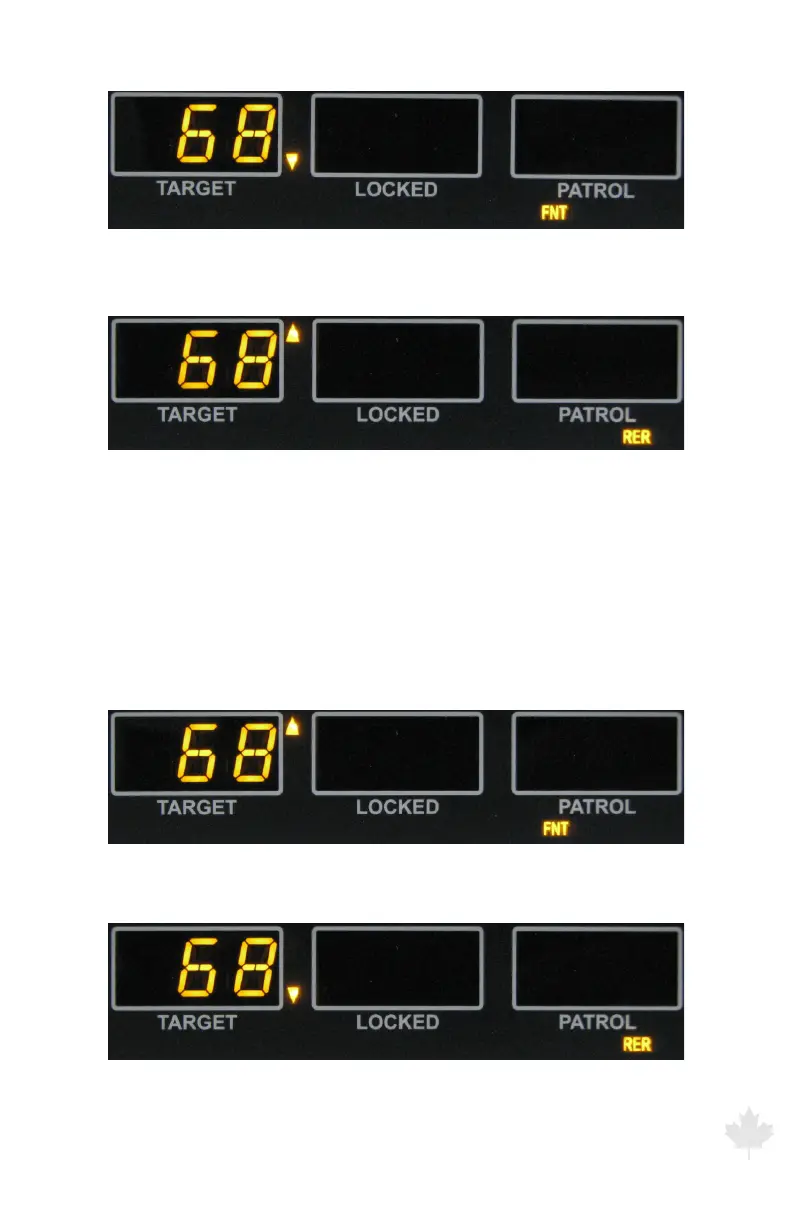
Figure 3.3.1f
While the FRONT antenna is selected, the down pointing arrow is illuminated
while tracking an approaching motor vehicle.
Figure 3.3.1g
While the REAR antenna is selected, the up pointing arrow is illuminated while
tracking an approaching motor vehicle.
When the radar is toggled into the “Stationary Recede Only” mode,
the down pointing or up pointing arrow to the right of the TARGET
window will illuminate. (When using the FRONT antenna, targets
receding from the patrol will be represented by the arrow pointing
up. An arrow will be pointing down when the REAR antenna is
selected.)
Figure 3.3.1h
While the FRONT antenna is selected, the up pointing arrow is illuminated while
tracking a receding motor vehicle.
Figure 3.3.1i
While the REAR antenna is selected, the down pointing arrow is illuminated while
tracking a receding motor vehicle.



 To Next Page