G3
™
User’s & Installation Manual
7/October/2020
48
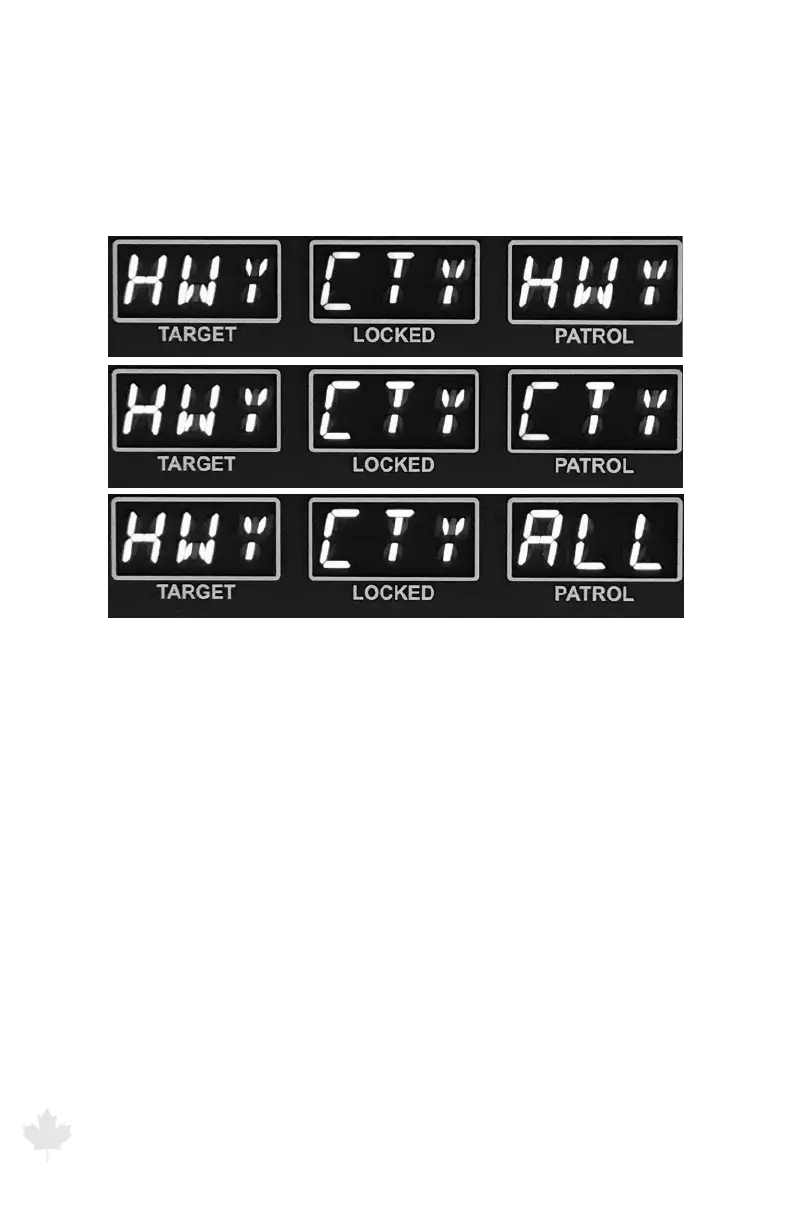
(h) CITY HWY MODE setting
Set for HWY (HIGHWAY) use to help reduce shadowing, Set for CTY
(CITY) use to help prevent combining. Set to ALL (default) for best
performance in both environments. Use the antenna front and rear
buttons to cycle through the three options.
Figure 6.1i
The G3™ front display showing menu selection of CITY/HIGHWAY use.
PATROL SPEED LOCK, RECALL and BLANKING
This option locks the patrol speed at the time you lock the target
speed.
1. In either moving mode, press the LOCK button to lock both the
target or patrol speeds.
2. Turn the antenna o. The locked patrol speed will appear in the
PATROL window.
3. To blank the patrol speed, press the OPTN button. Then press the
OPTN button again to recall it.
4. To permanently remove the locked patrol speed, reactivate the
antenna by turning it on.



 To Next Page