G3
™
User’s & Installation Manual
7/October/2020
47
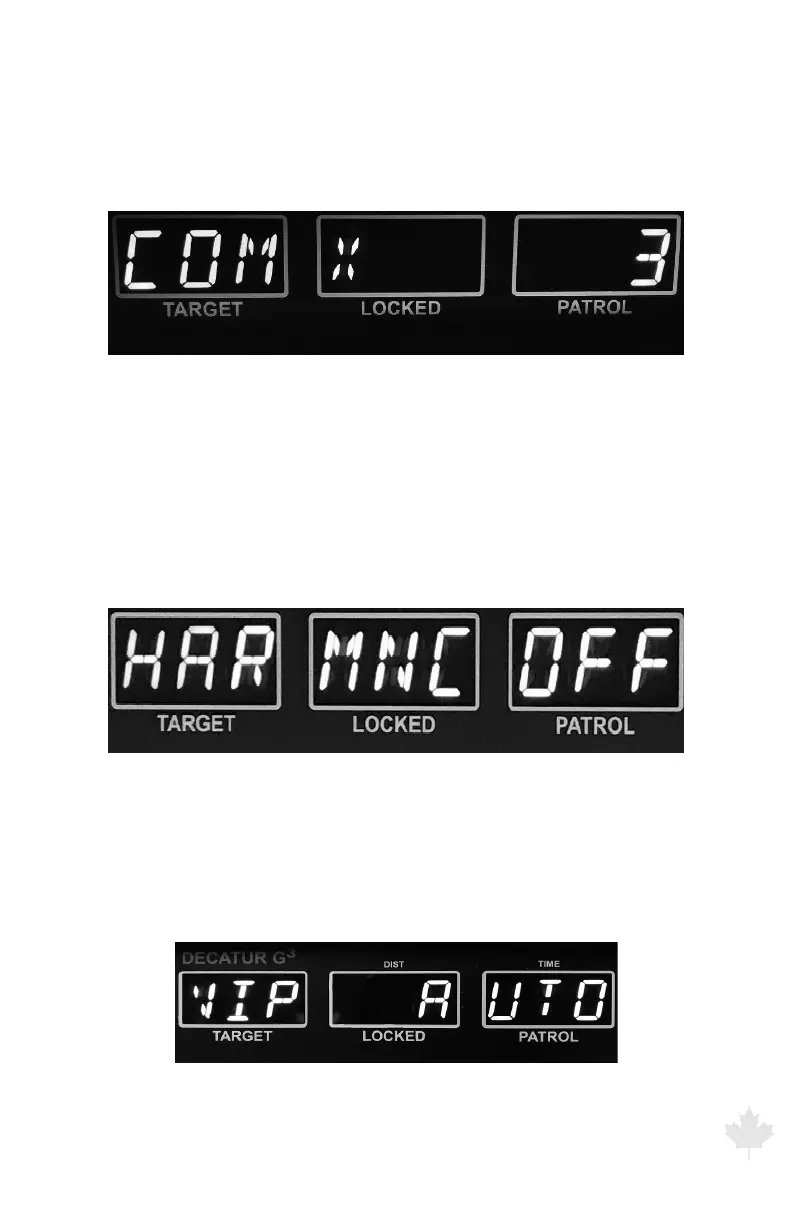
(e) COM serial setting
Selects serial output protocol. Press the front or rear antenna button
to toggle between the selections. (See appendix A for full list of
communication formats)
Figure 6.1f
The G3™ front display showing serial communication
protocol selection display.
(f) HARMONIC setting
Selects harmonic display in the target window. Target window will
display “_H_” during a patrol harmonic event (display will normally be
blank if this setting is OFF). Press the front or rear antenna button to
toggle between OFF (default) and ON.
Figure 6.1g
The G3™ front display showing harmonic display option.
(g) VIP – AUTO or MANUAL setting
AUTO for Automatic switching between Stationary and Moving
mode. Man for Manual switching of modes.
Figure 6.1h
The G3™ front display showing menu selection of VIP MANual
or AUTOmatic mode switching.



 To Next Page