21
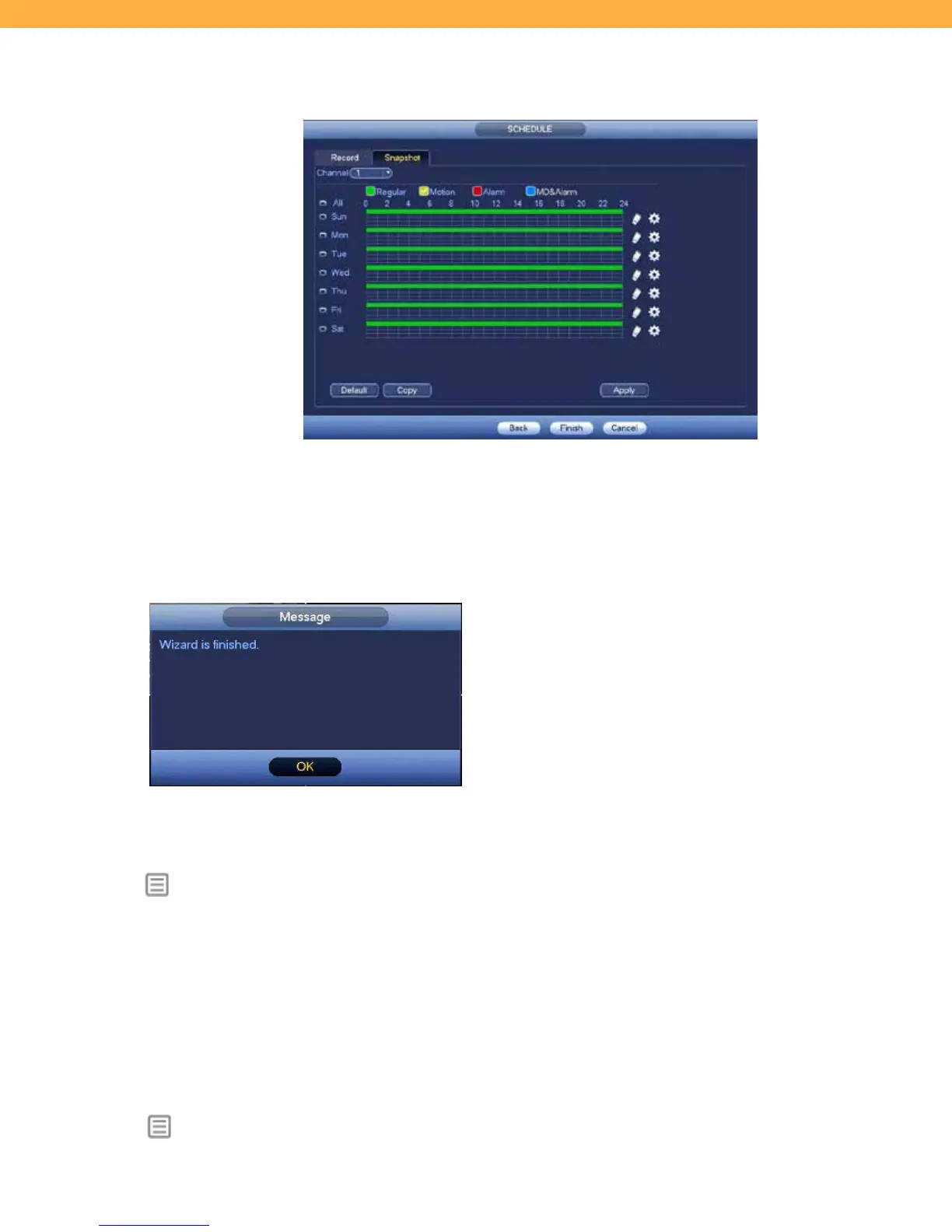
Snapshot Tab
The Snapshot Schedule works the same way as the Recording Schedule. The difference is that the
system will take a snapshot of what is visible on the Channel (Camera) at the times set up in the schedule
or when Motion is detected.
FINISH
At the end of the Setup Wizard a Message window will
appear confirming that you have completed all the steps.
Click OK to exit the Setup Wizard and to open the Live View
screen.
FREQUENTLY USED FEATURES
Below is a list of system features that you may use more frequently.
SETTING MENU
CAMERA > Registration (Camera) – add/delete/
modify cameras
CAMERA > Encode – encode/overlay/ snapshot settings
NETWORK > Email Alerts – set email alerts for activity types
SYSTEM > General – change general/date & time/holiday settings
SYSTEM > Account Maintenance – setup and change users/groups/security questions
SYSTEM > Import / Export – import and export data
SYSTEM > Default – reset NVR settings with Factory Reset (removes all settings and erases all footage)
SYSTEM > Upgrade – update the NVR firmware
INFO MENU



 To Next Page