33
LOG
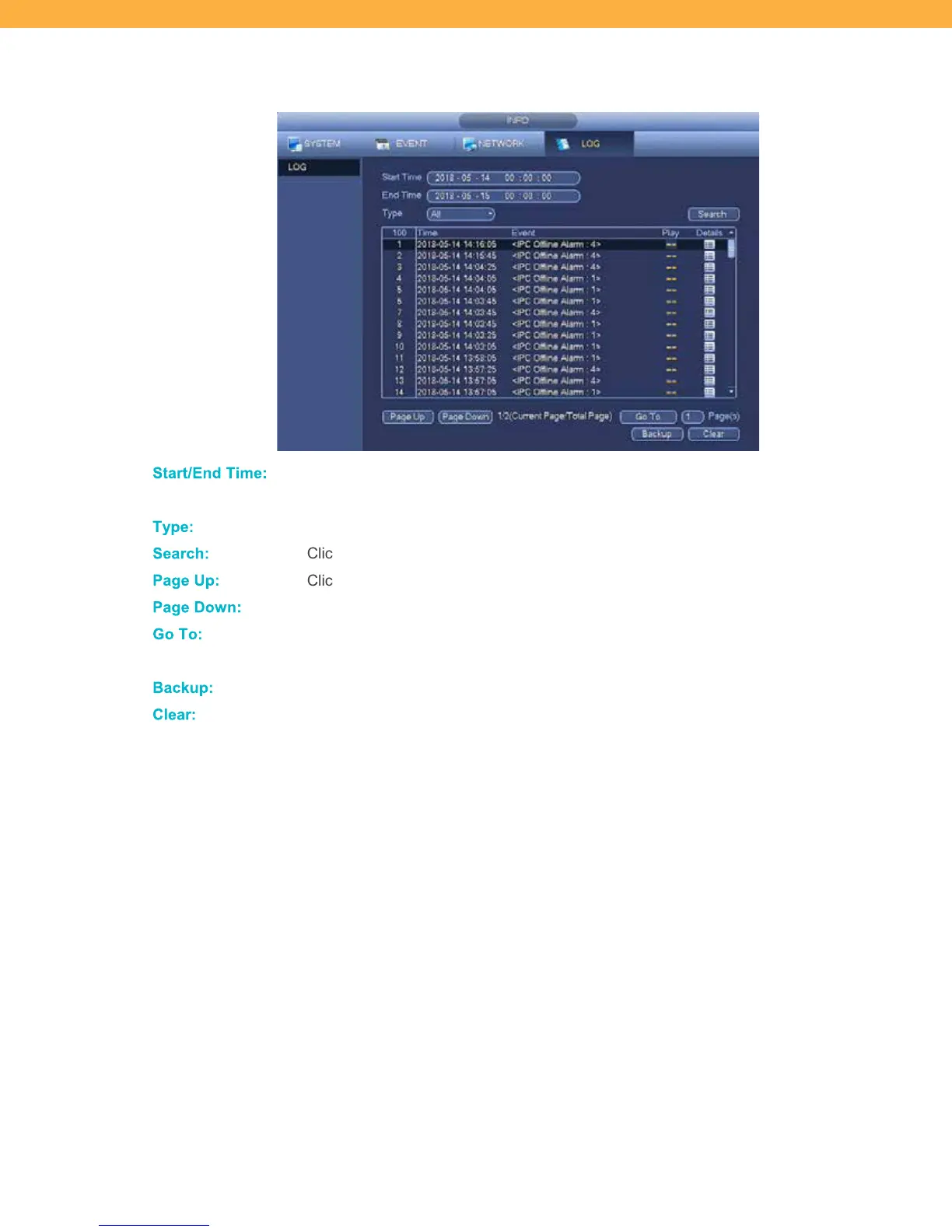
View the list of events/recordings for the selected timeframe.
Start/End T im e:
Select the timeframe to include in the log. Click the fields to select the dates and
times.
Type:
Select the Channel (Camera) to be included in the log (1, 2, 3, 4, All).
Search:
Click to return the list of events for the date range and channel selected.
Page Up:
Click to view the previous page of events.
Page Do wn:
Click to view the next page of events.
Go T o:
Click the Page(s) field and enter the page number you want to view. Click Go To and
the list will change to the page entered.
Backup:
Click to initiate the Backup process.
Clear :
Click to reset the search results.



 To Next Page