52
No HDD: No hard drive detected
HDD Error: Hard drive error has been detected
No Space: Hard drive is full or almost full (enter a percentage amount is the
Less Than field)
When selected the HDD alerts are active.
Click the field to enter a percentage remaining when No Space or All are selected
as the Event Type. (example: when there is less than 20% space remaining on the
hard drive an event will be triggered)
When selected a pop-up message will appear on-screen.
When selected this system will send any alarms detected to an additional alarm
monitoring system (ex: alarm monitoring company).
When selected the system will trigger an email alert (based on the Email
settings).
When selected the system buzzer will be enabled when a hard drive event
occurs.
When selected the hard drive event will appear in the Log.
See Main Menu:
INFO > LOG
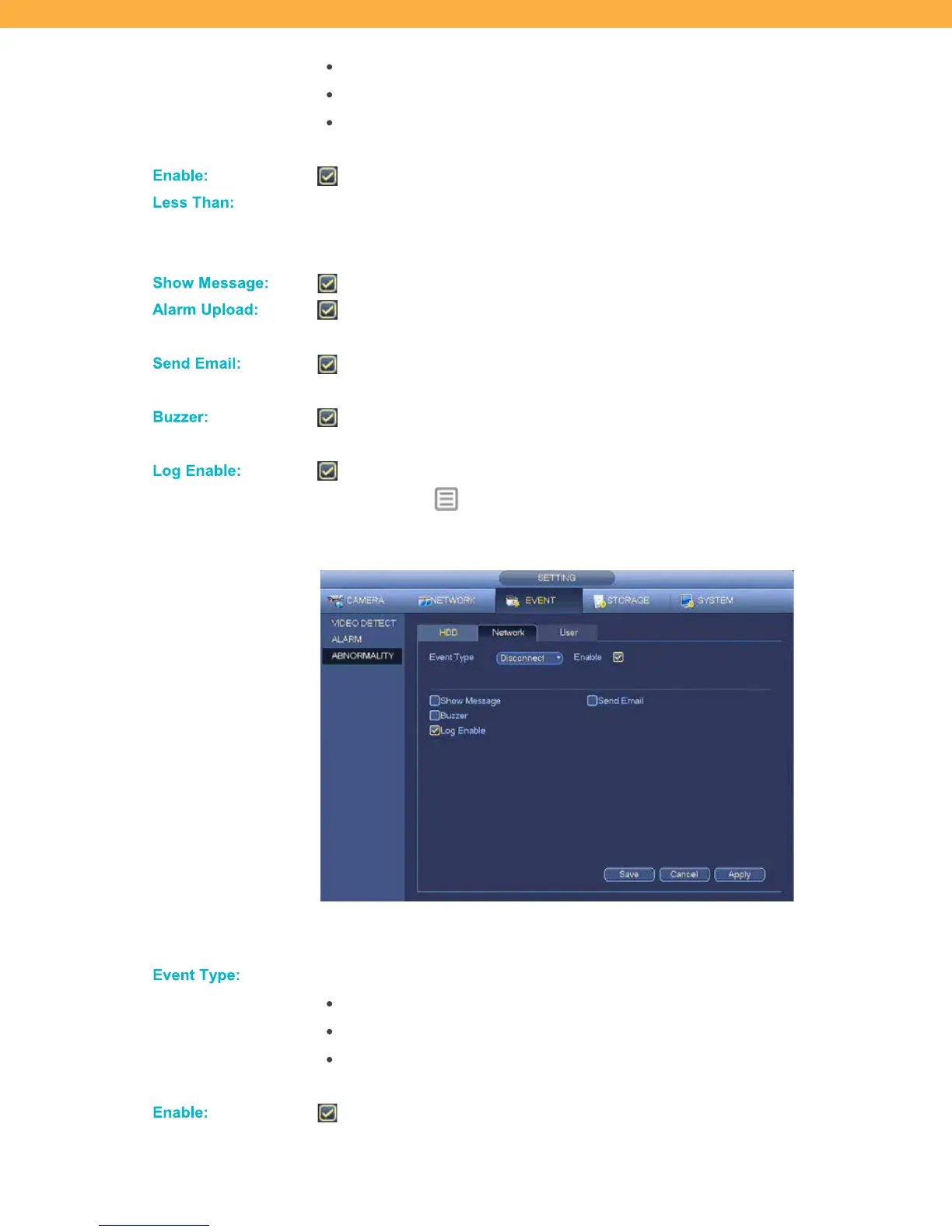
Network Tab
Network Abnormality settings allow you to select how the system will react when an issue is detected with
the network connections.
Click the drop down to select the type of hard drive issues:
Disconnect: System has lost connection with the network
IP Conflict: More than one device on your network has the same IP address
MAC Conflict: More than one device on your network has the same MAC
address
When selected the Network alerts are active.



 To Next Page