51
When selected a pop-up message will appear on-screen. The message will
show the Channel (Camera) and event type.
When selected this system will send any alarms detected to an additional alarm
monitoring system (ex: alarm monitoring company).
When selected the system will trigger an email alert (based on the Email
settings).
Click the checkbox and the Channels (Cameras) to include the schedule.
When selected the PTZ action is enabled when the selected Channel (Camera)
goes offline.
Click to select the PTZ actions for each Channel (Camera).
Enter the number of seconds the system will continue to record after disconnection
is detected.
When selected a tour of all selected PTZ cameras will start and automatically
scan the viewing area. Select the cameras to include in the tour.
When selected the system will take a snapshot when the selected Channel
(Camera) goes offline. Click the Channels (Cameras) that will take a snapshot when
the selected Channel (Camera) goes offline.
When selected the tampering event will appear in the Log.
See Main Menu:
INFO > LOG
When selected the system buzzer will be enabled when the selected Channel
(Camera) goes offline.
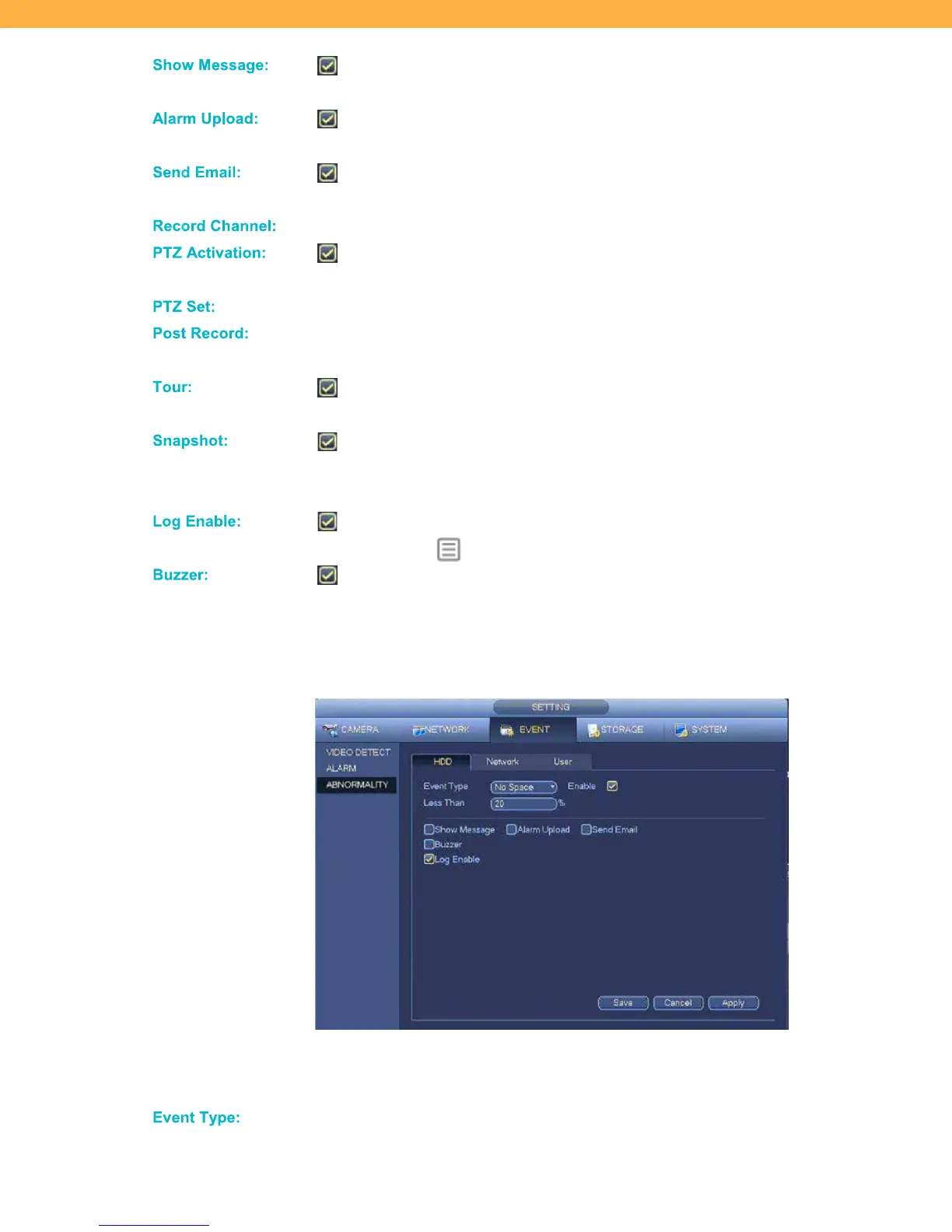
ABNORMALITY
HDD Tab
HDD Abnormality settings allow you to select how the system will react when an issue is detected with the
hard drive.
Click the drop down to select the type of hard drive issues:



 To Next Page