58
SYSTEM
View and modify system basic setup, system COM, network PTZ setup and etc.
The GENERAL section is covered in the Setup Wizard – see section 9.2 for details.
DISPLAY
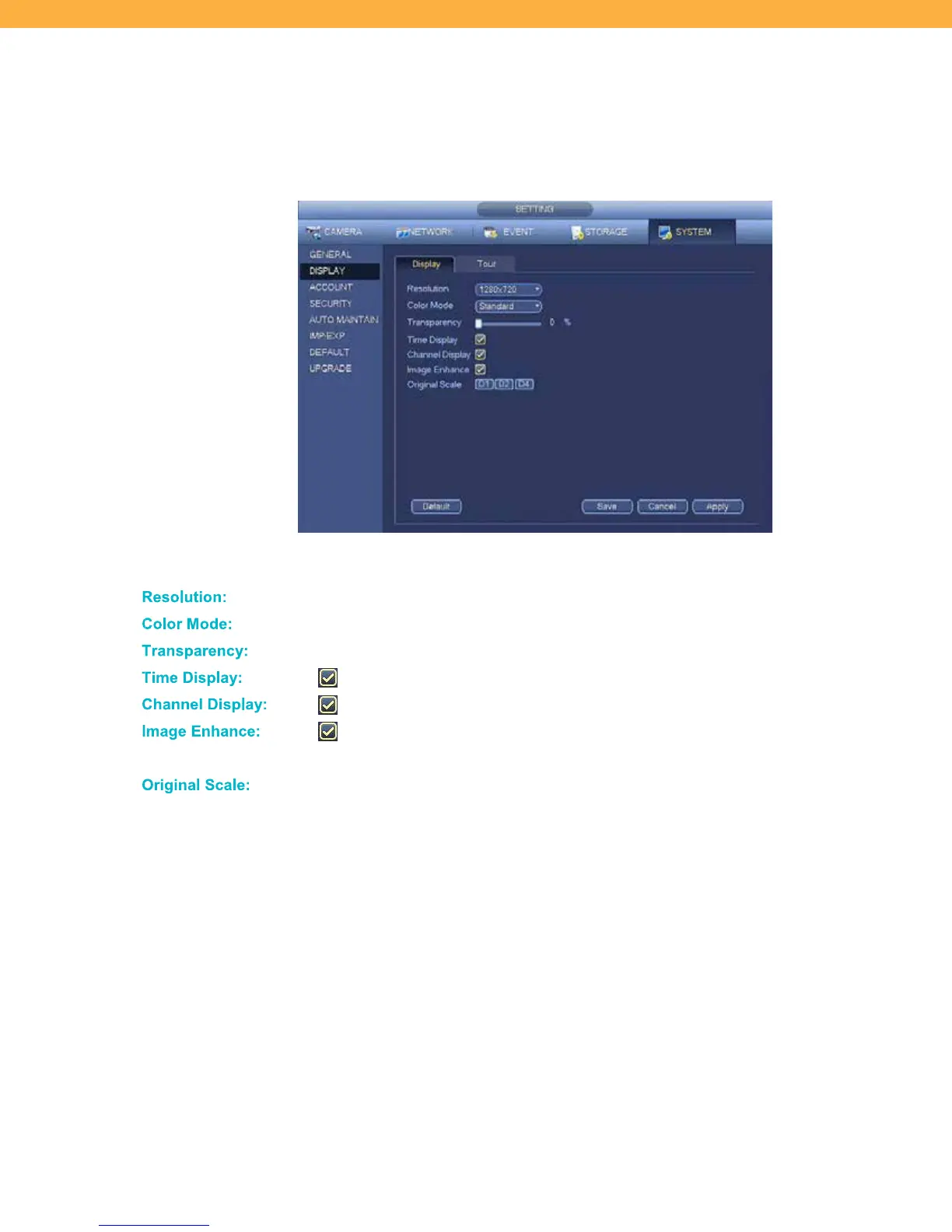
Display Tab
Display allows you to customize the view on your monitor/TV.
Click the drop down to select the correct resolution for your monitor/TV.
Click the drop down to select a color mode.
Click the slide bar to set the transparency of the menu above the Live View screen.
When selected the time will display on the screen.
When selected the Channel (Camera) names will appear on the screen.
When selected the NVR image is automatically enhanced to the resolution of
the monitor/TV.
Select the Channels (Cameras) that will be shown in original scale or full scale.



 To Next Page