64
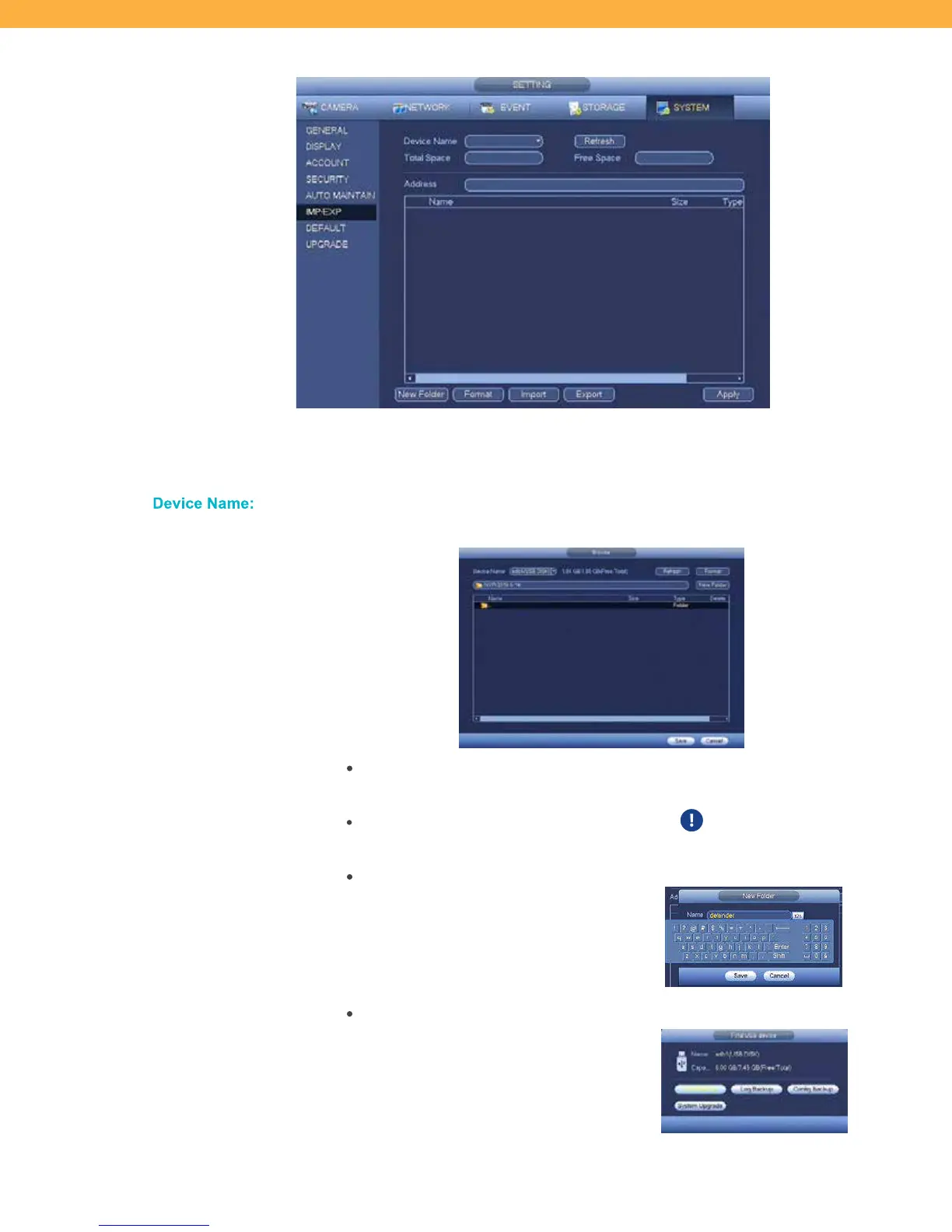
IMP/EXP
This screen is used to import and export files in the system for system upgrades and backups. This step
requires a USB drive to complete. Insert a USB drive into the NVR.
Click the drop down to select a device for import/export. The USB drive will appear
in this list as well and additional hard drives installed in the NVR unit.
Free/Total Space:This is taken from the USB drive or hard drive to let you
know how much space is available.
Format: Click to formate the storage device.
Formatting will delete
all data on the device and once confirmed it cannot be stopped.
New Folder: Click to create a new folder on the storage device. Enter the
name of the folder.
Import/Export: Click to start the backup or update process. Select the
import/export action from the list.



 To Next Page