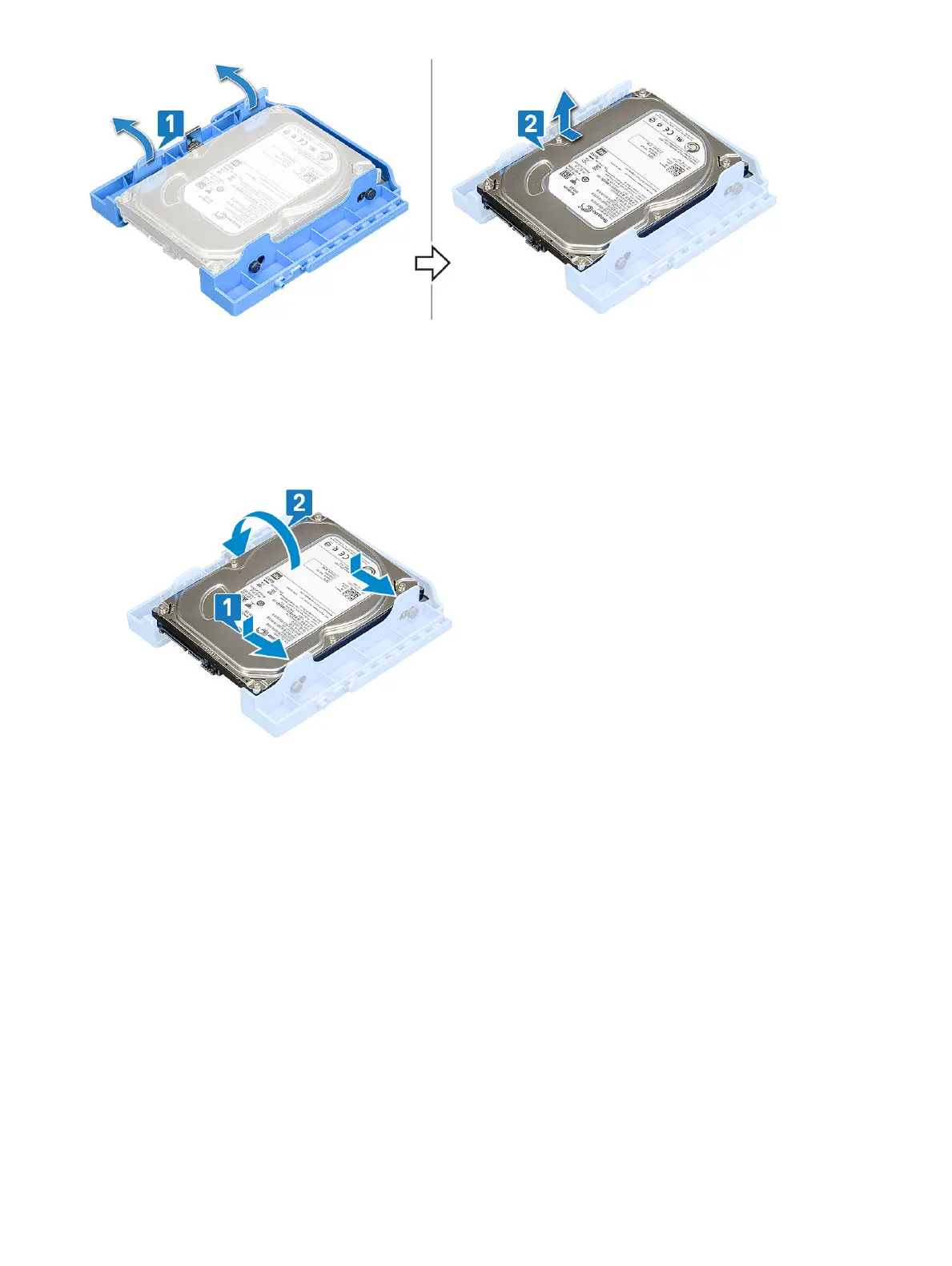
Installing the 3.5–inch hard drive into the hard drive bracket
1 To install the hard drive:
a Align the hard drive to the side of the hard drive bracket, and pull the other end tabs to insert the pins on the bracket into the
hard drive [1].
b Insert the hard drive into the hard drive bracket until it clicks into place [2].
2 Install the:
a 3.5-inch hard drive assembly
b Front bezel
c Side cover
3 Follow the procedure in After working inside your computer.
2.5-inch hard drive assembly
Removing the 2.5–inch hard drive assembly
1 Follow the procedure in Before working inside your computer.
2 Remove the:
a Side cover
b Front bezel
3 Open the front panel door.
4 To remove the hard drive assembly:
a Disconnect the hard drive data and power cables from the connectors on the 2.5-inch hard drive [1].
26
Removing and installing components













 To Next Page