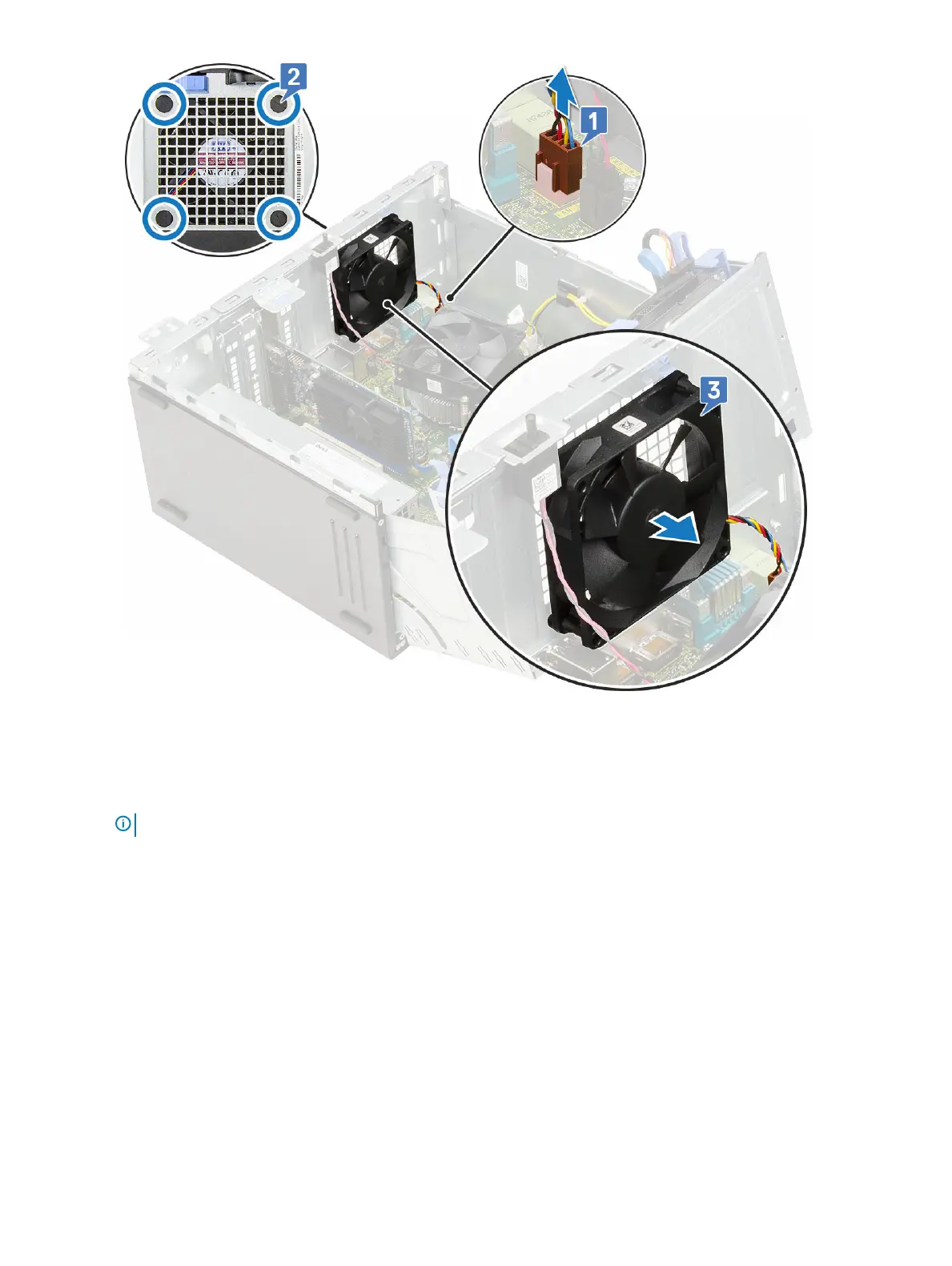
Installing system fan
1 Insert the grommets into the slots from the back of the computer.
NOTE
: Install the lower two grommets rst.
2 Hold the system fan with the cable facing the bottom of the computer.
3 Align the grooves of the system fan with the grommets on the chassis wall.
4 Pass the grommets through the corresponding grooves on the system fan [1].
5 Stretch the grommets and slide the system fan toward the computer until it locks into place [2].
6 Connect the system fan cable to the connector on the system board [3].
Removing and installing components
61













 To Next Page