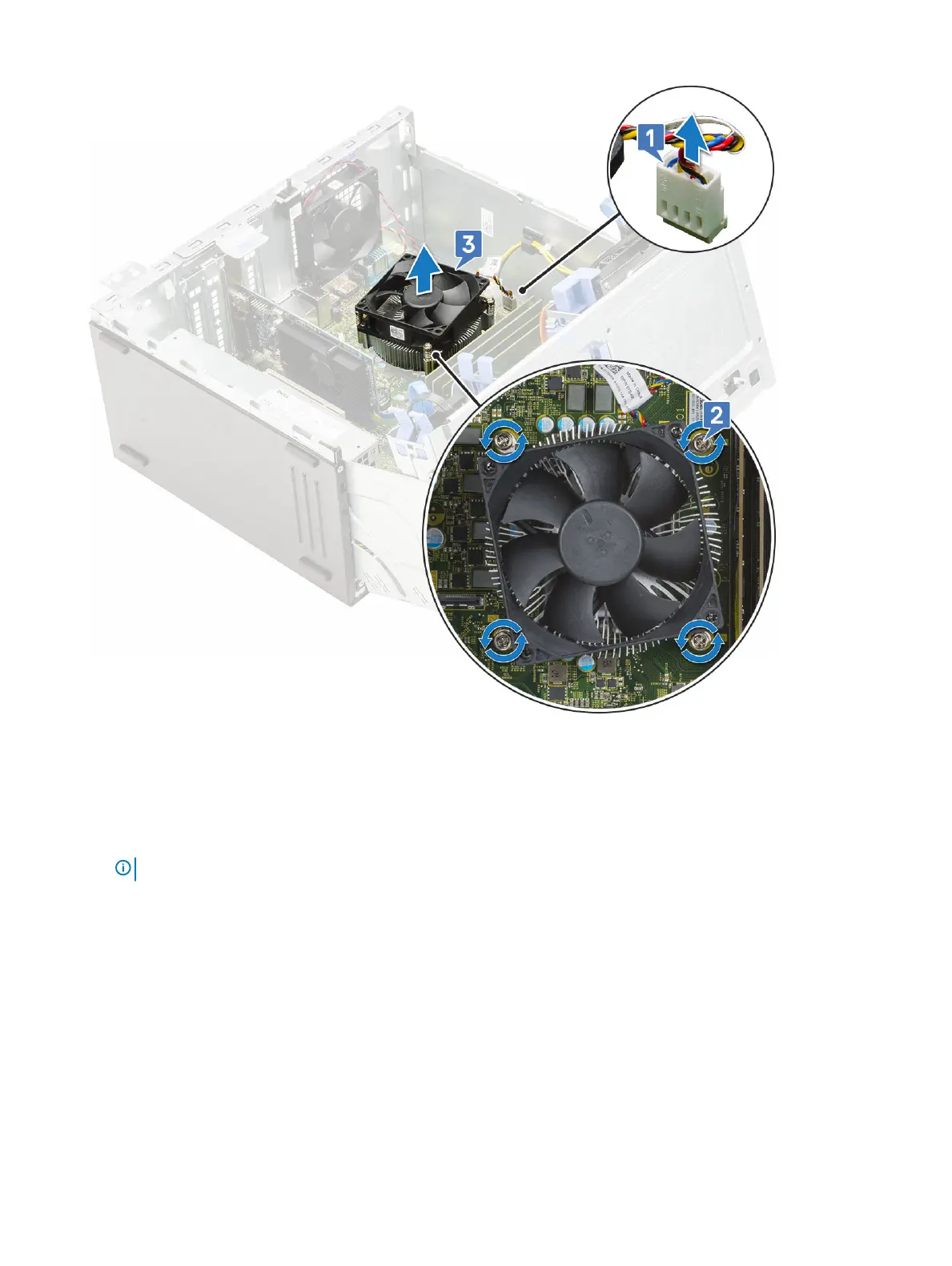
c Lift the heatsink assembly away from the computer [3].
Installing heatsink assembly
1 Align the screws of the heatsink assembly with the holders on the system board and place the heatsink assembly on the processor [1].
2 Tighten the captive screws to secure the heatsink assembly to the system board [2].
NOTE
: Tighten the screws in a sequential order (1,2,3,4) as printed on the system board.
3 Connect the heatsink fan assembly cable from the connector on the system board [3].
Removing and installing components
57













 To Next Page