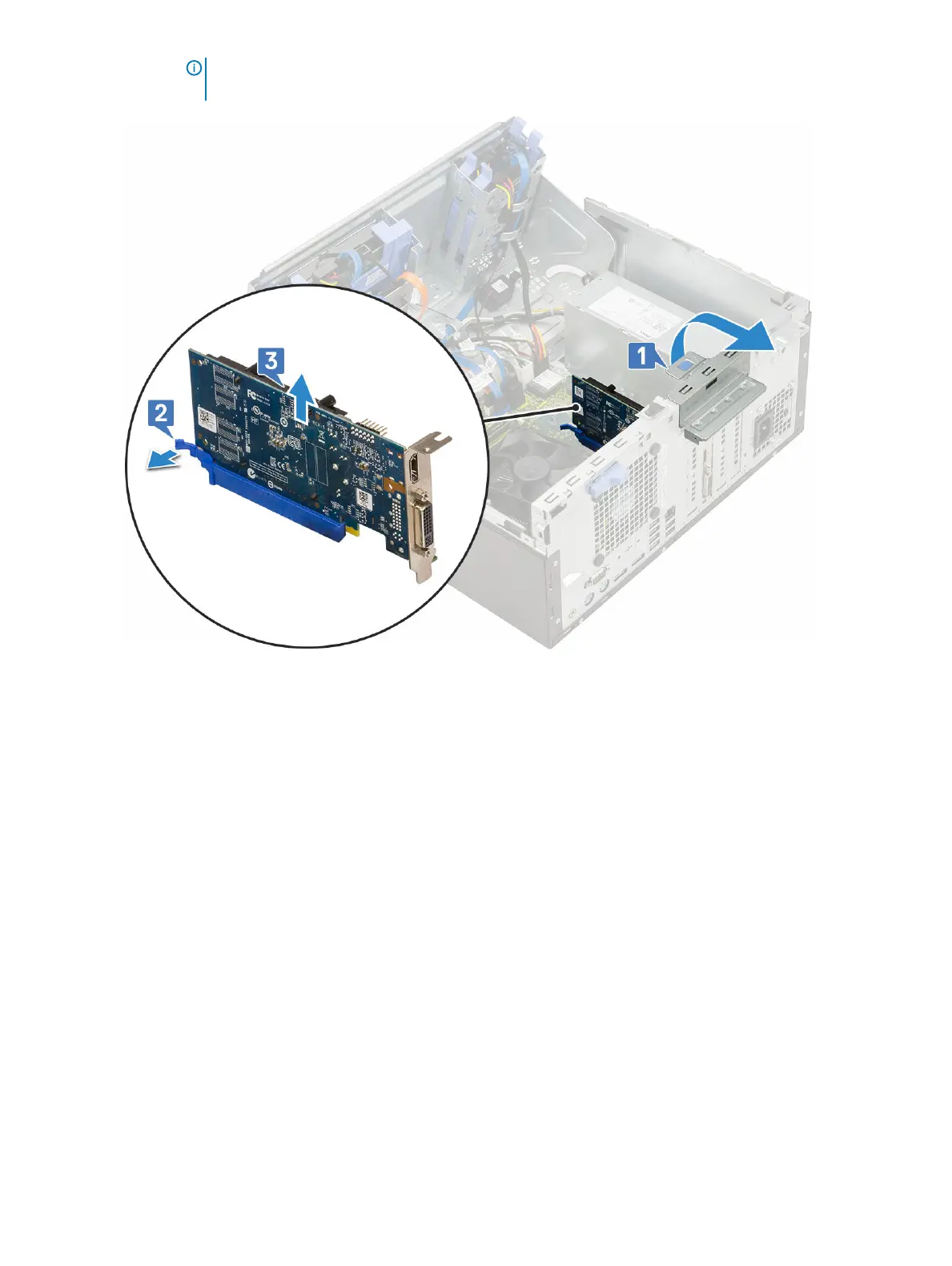
NOTE: This step is applicable only for the connector with card retention latch, otherwise, lift the PCIe
expansion card out of the system.
5 Repeat the steps to remove any additional PCIe expansion card.
Installing PCIe expansion card
1 To install the PCIe expansion card:
a Insert the PCIe expansion card to the connector on the system board [1].
b Secure the PCIe expansion card by pushing the card retention latch until it clicks into place [2].
c Repeat the steps to install any additional PCIe expansion card.
40
Removing and installing components













 To Next Page