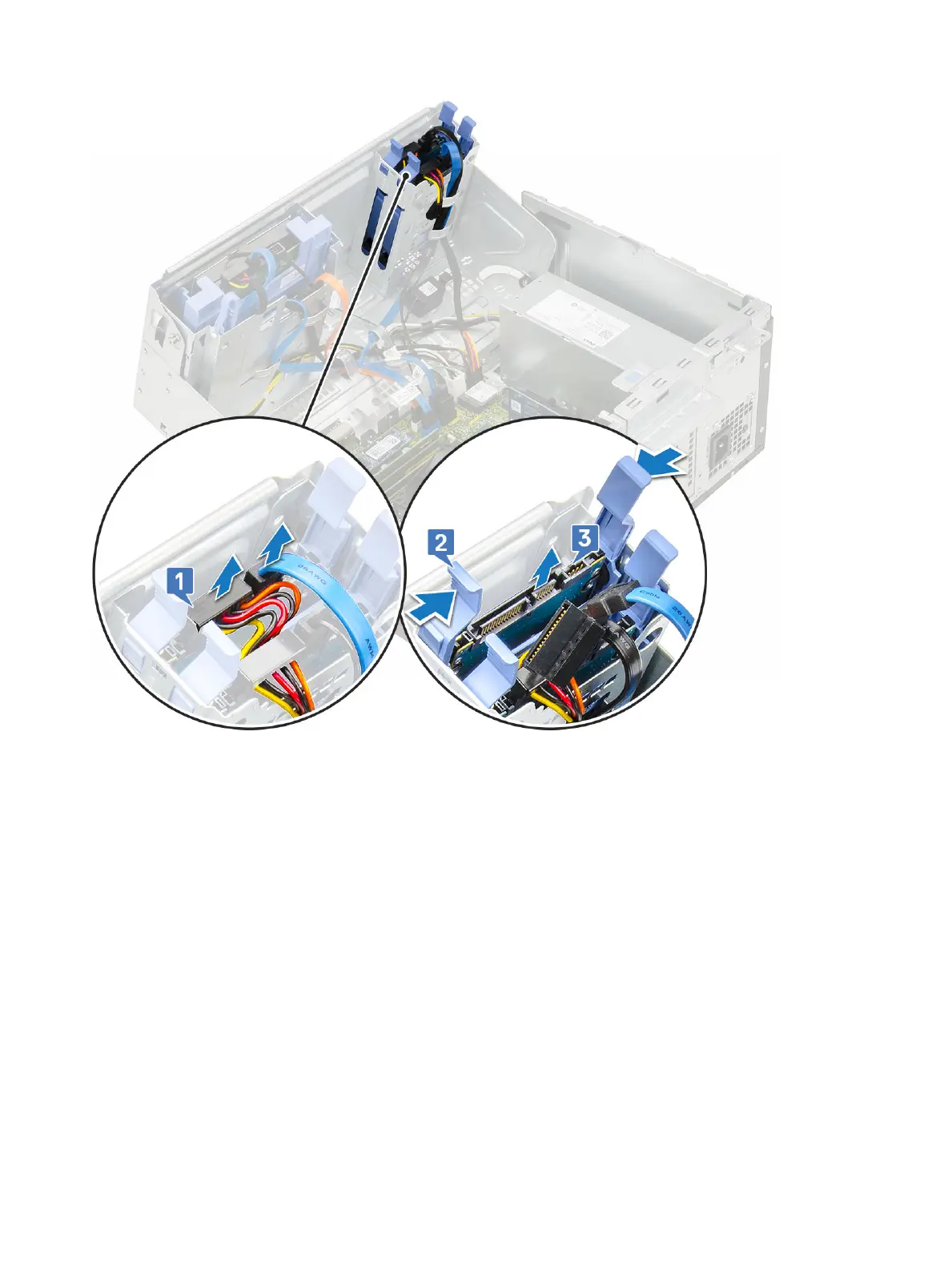
b Press the blue tabs of the assembly on both sides [2] and pull the hard drive assembly out of the system [3].
Installing the 2.5-inch drive assembly
1 To install the hard drive:
a Insert the hard drive assembly into the slot on the system until it clicks into place [1] [2].
b Connect the hard drive data and power cables to the connectors on the 2.5-inch hard drive [3].
Removing and installing components
27













 To Next Page