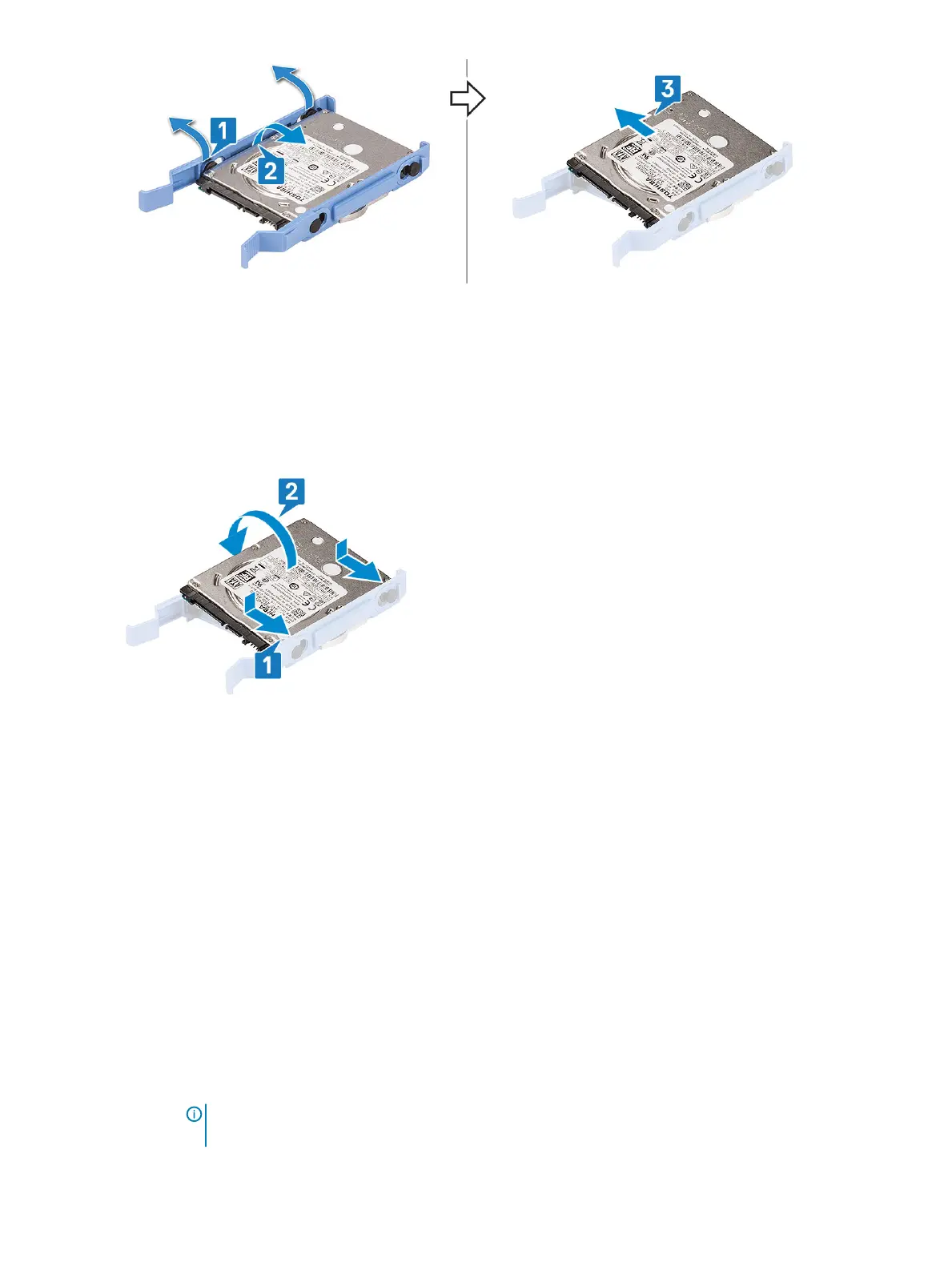
Installing the 2.5–inch hard drive into the hard drive bracket
1 To install the hard drive:
a Align the hard drive to the side of the hard drive bracket, and pull the other end tabs to insert the pins on the bracket into the
hard drive.
b Insert the hard drive into the hard drive bracket until it clicks into place [1].
c Insert the hard drive into the hard drive bracket until it clicks into place [2].
2 Install the:
a 2.5-inch hard drive assembly
b Front bezel
c Side cover
3 Follow the procedure in After working inside your computer.
Optical drive
Removing optical drive
1 Follow the procedure in Before working inside your computer.
2 Remove the:
a Side cover
b Front bezel
3 Open the front panel door.
4 To remove the optical drive assembly:
a Disconnect the optical drive data cable and power cable from the connectors on the optical drive [1].
NOTE
: You may need to unroute the cables from the tabs under the drive cage to allow you to disconnect
the cables from the connectors.
Removing and installing components 29













 To Next Page