Removing the Status-Light Board | 41
Procedure
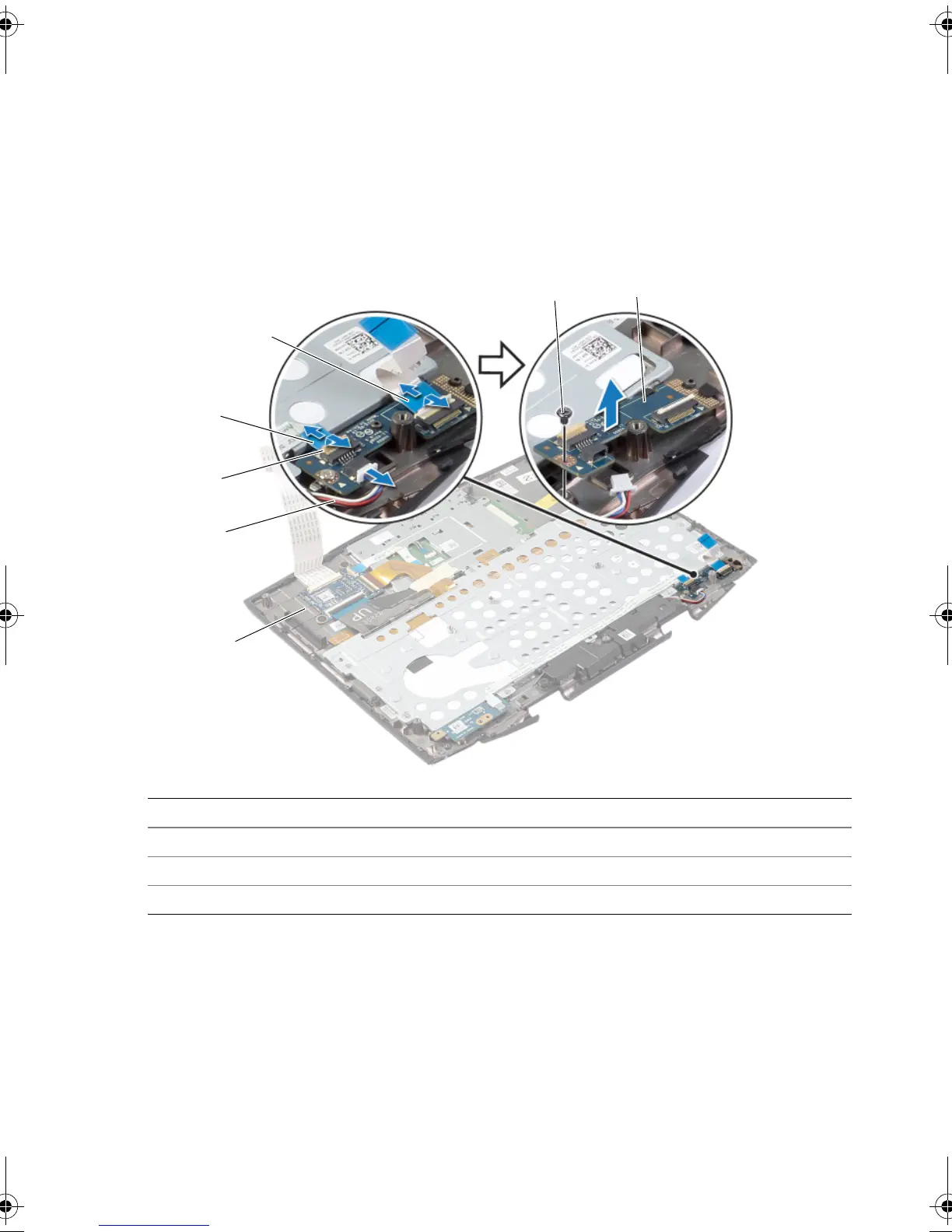
1 Lift the connector latches and remove the power-button board and status-light
board cables from the status-light board connectors.
2 Disconnect the speakers cable from the status-light board connector.
3 Remove the screw that secures the status-light board to the palm-rest assembly.
4 Lift the status-light board at an angle and release it from the tab on the palm-rest
assembly.
1 palm-rest assembly 2 speakers cable
3 connector latch 4 power-button board cable
5 status-light board cable 6 screw
7 status-light board
book.book Page 41 Monday, June 24, 2013 10:53 AM












 To Next Page