Removing the Keyboard | 47
Procedure
CAUTION: The keycaps on the keyboard are fragile, easily dislodged,
and time-consuming to replace. Be careful when removing and
handling the keyboard.
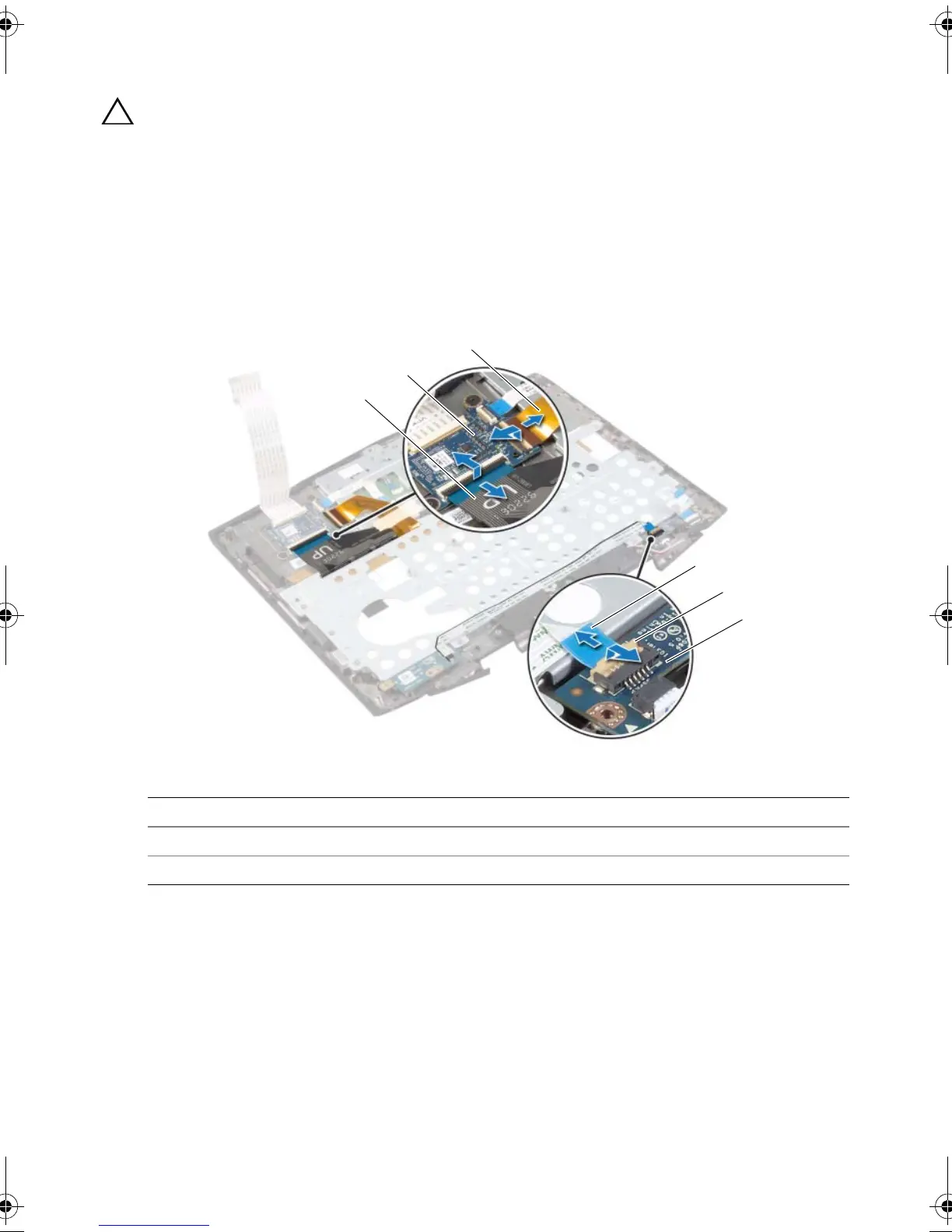
1 Lift the connector latch and disconnect the power-button board cable from the
status-light board connector.
2 Peel the power-button board cable off the keyboard bracket.
3 Lift the connector latches and disconnect the keyboard cable and keyboard-
backlight cable from the keyboard-board connectors.
1 keyboard cable 2 keyboard board
3 keyboard-backlight cable 4 power-button board cable
5 connector latch 6 status-light board
book.book Page 47 Monday, June 24, 2013 10:53 AM












 To Next Page