80 | Removing the Camera Module
Procedure
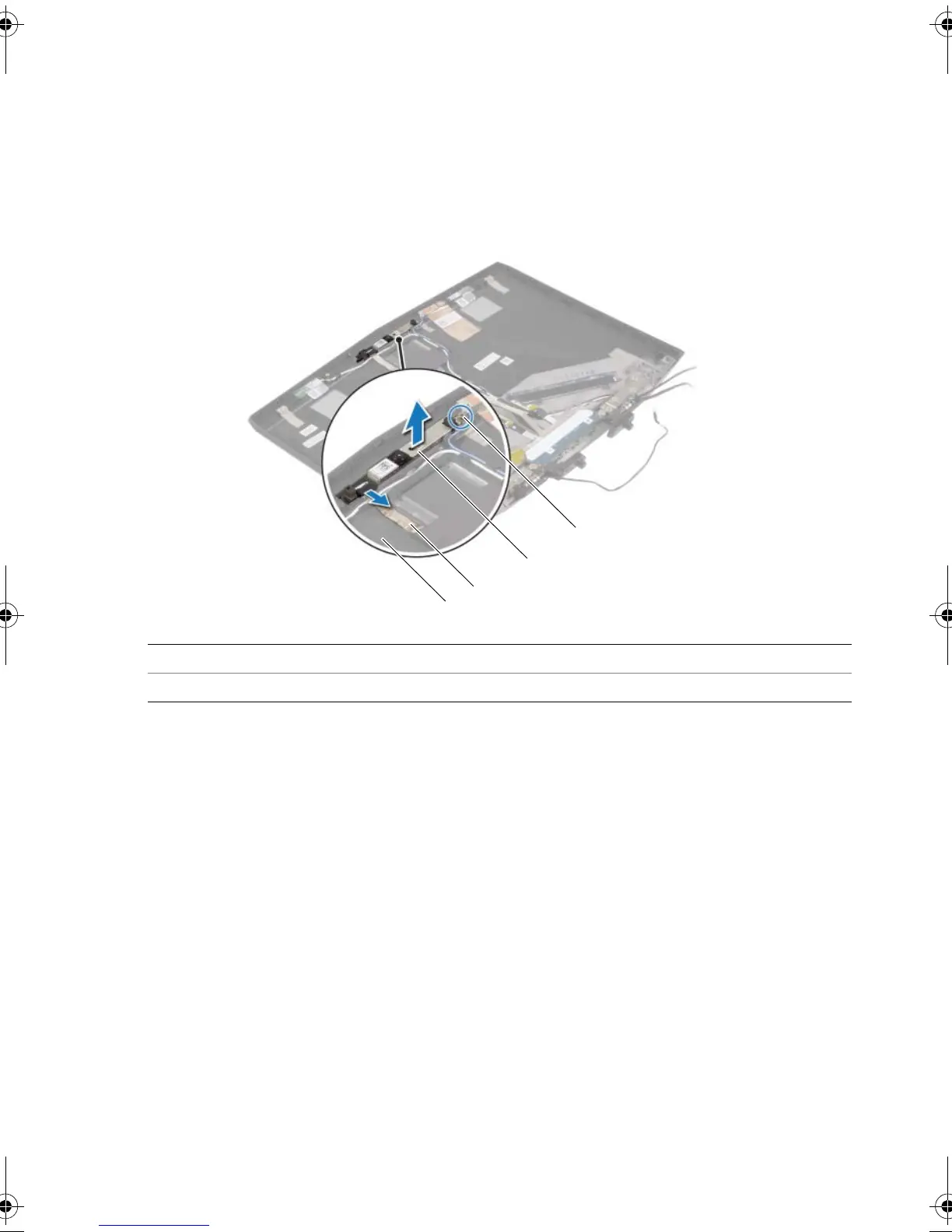
1 Loosen the captive screw that secures the camera module to the display back-cover.
2 Disconnect the camera cable from the camera-module connector.
3 Pry the camera module from the display back-cover.
4 Lift the camera module off the display back-cover.
1captive screw 2camera module
3 camera cable 4 display back-cover
book.book Page 80 Monday, June 24, 2013 10:53 AM












 To Next Page