Removing the System Board | 89
Procedure
NOTE: Your computer’s Service Tag is located under the system badge. You must
enter the Service Tag in the BIOS after you replace the system board.
NOTE: Before disconnecting the cables from the system board, note the location of
the connectors so that you can reconnect them correctly after you replace the
system board.
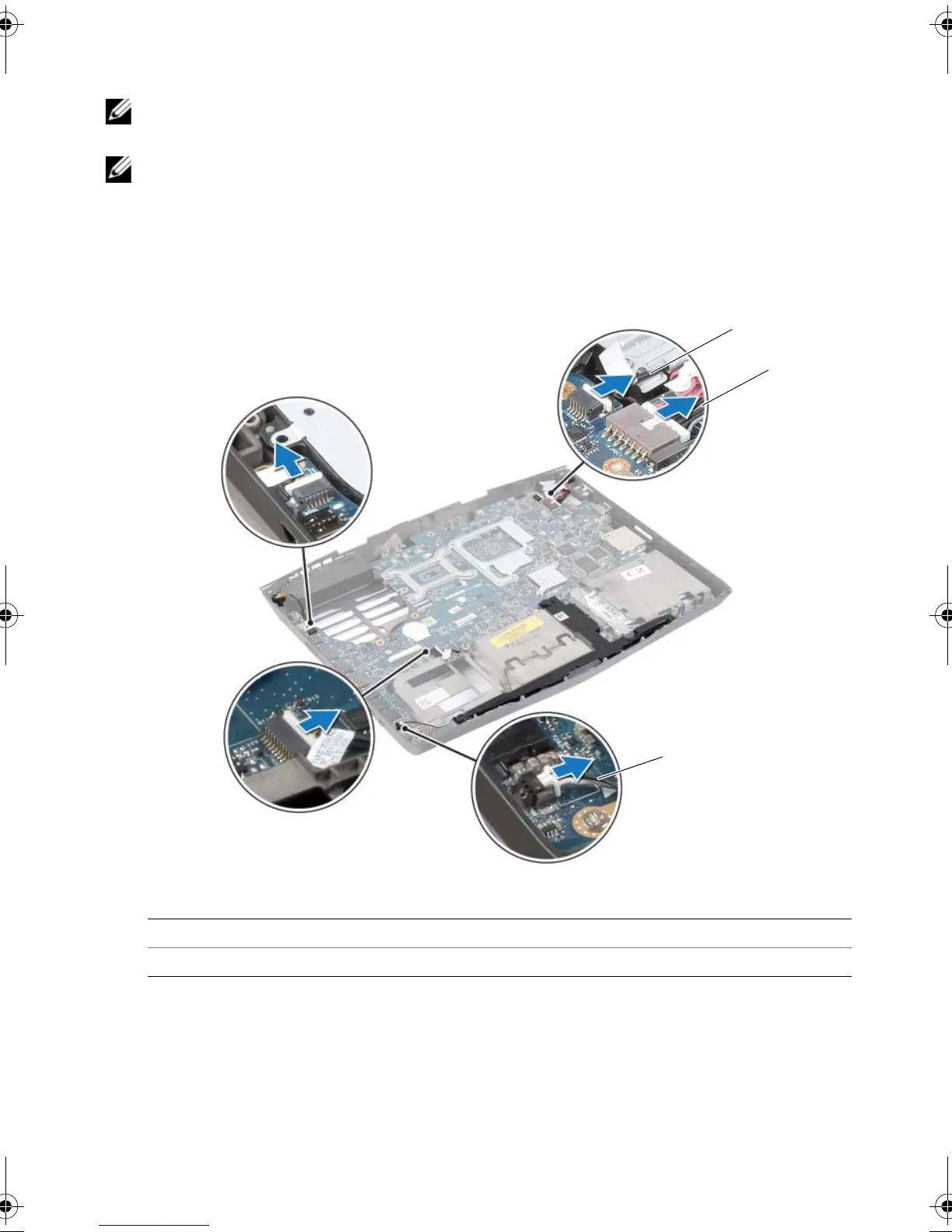
1 Disconnect the tron-light cables, power-adapter port cable, and subwoofer cable
from the system-board connectors.
1 tron-light cable (3) 2 power-adapter port cable
3 subwoofer cable
book.book Page 89 Monday, June 24, 2013 10:53 AM












 To Next Page