96 | Removing the Processor Module
Procedure
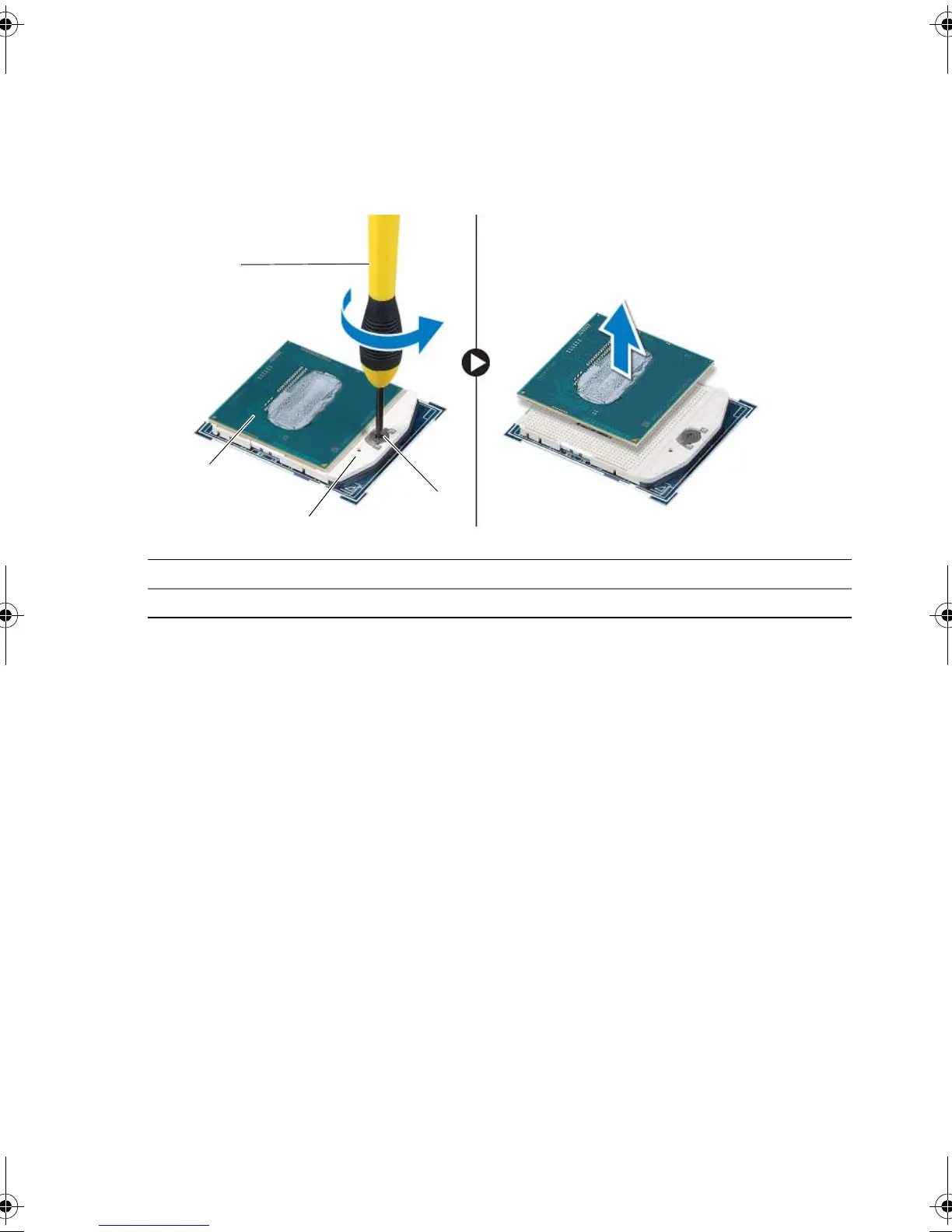
1 To loosen the ZIF socket, use a small Torx T8 screwdriver and rotate the ZIF-socket
cam screw counterclockwise until it comes to the cam stop.
2 Lift the processor module off the ZIF socket.
1 Torx T8 screwdriver 2 processor module
3 ZIF-socket 4 ZIF-socket cam screw
book.book Page 96 Monday, June 24, 2013 10:53 AM












 To Next Page