Removing the Display Assembly | 69
5 Turn the computer over and open the display as far as possible.
6 Remove the display, camera, and antenna cables from the slots on the computer
base.
7 Note the display, camera and antenna cable-routing and remove the cables from
their routing guides.
8 Slide the cables through the slots on the computer base.
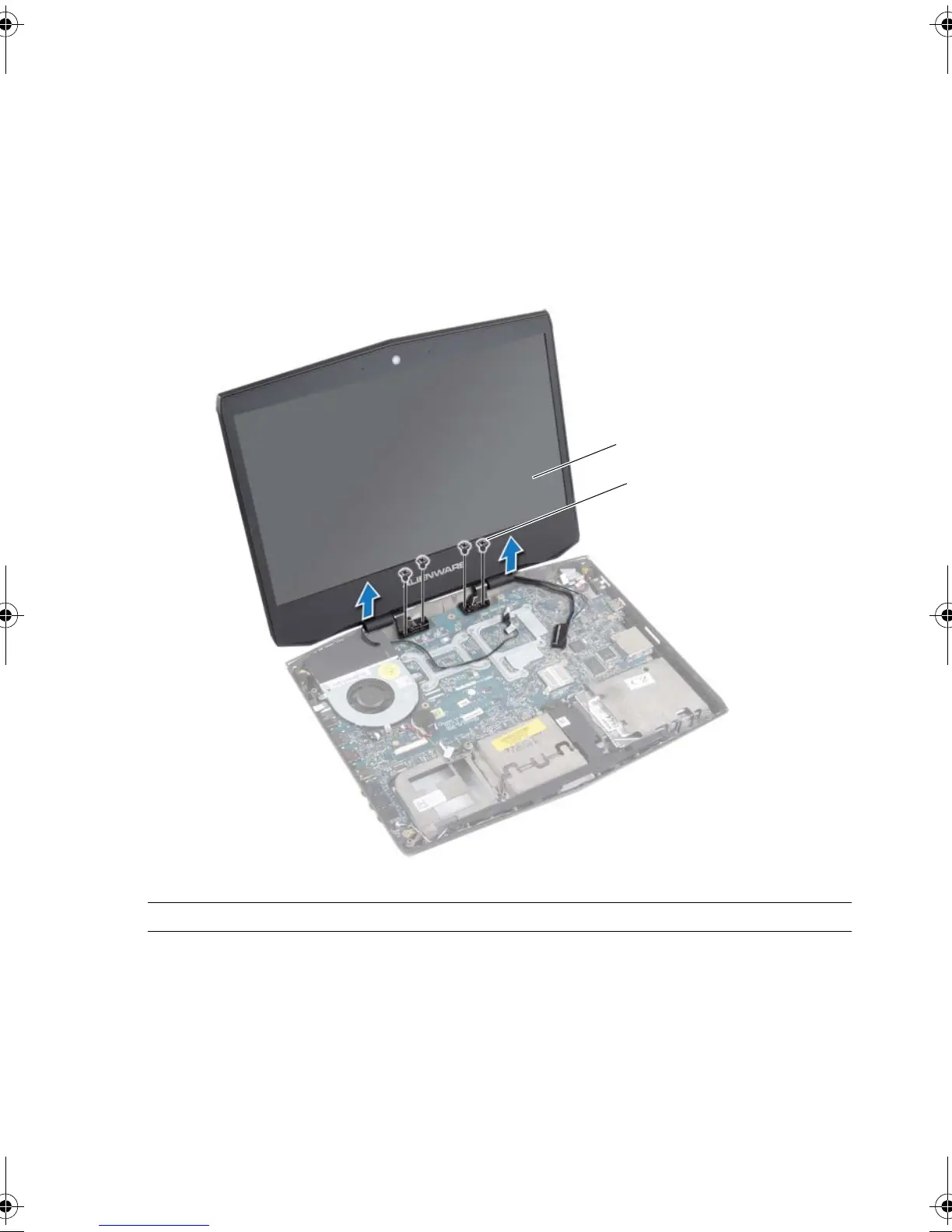
9 Remove the screws that secure the display assembly to the computer base.
10 Lift the display assembly off the computer base.
1 display assembly 2 screws (4)
book.book Page 69 Monday, June 24, 2013 10:53 AM












 To Next Page