Removing the Memory Module(s) | 19
Procedure
1 To remove memory module(s) from connectors DIMM3 and DIMM4, go to step 3.
2 To remove memory module(s) from connectors DIMM1 and DIMM2:
Remove the palm rest. See "Removing the Palm Rest" on page 39.
CAUTION: To prevent damage to the memory-module connector, do
not use tools to spread the memory module securing clips.
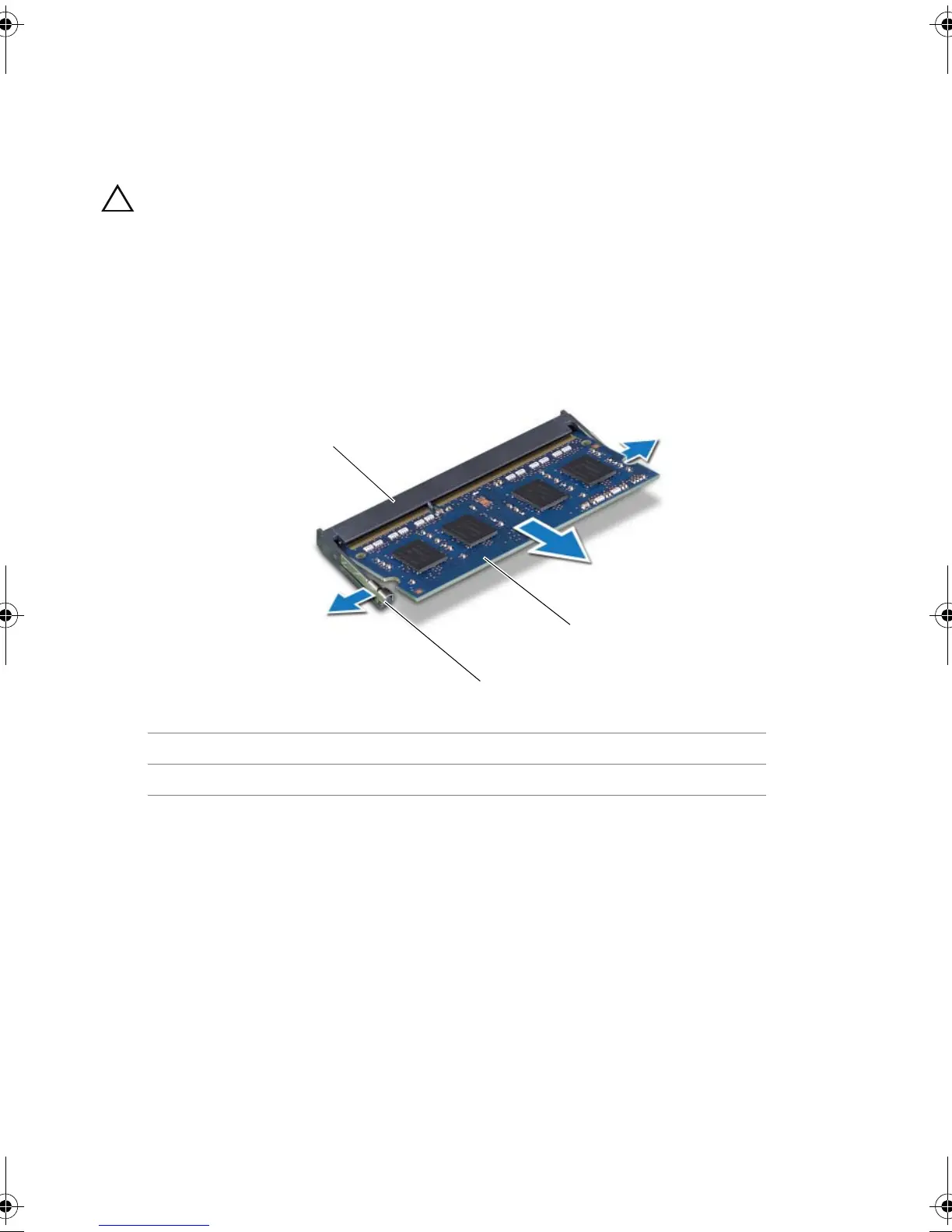
3 Using your fingertips, spread apart the securing clips on each end of the
memory-module connector until the memory module pops up.
4 Remove the memory module from the memory-module connector.
1 memory-module connector 2 securing clips (2)
3 memory module
Book.book Page 19 Friday, June 28, 2013 11:10 AM












 To Next Page