Removing the Processor Module | 97
Procedure
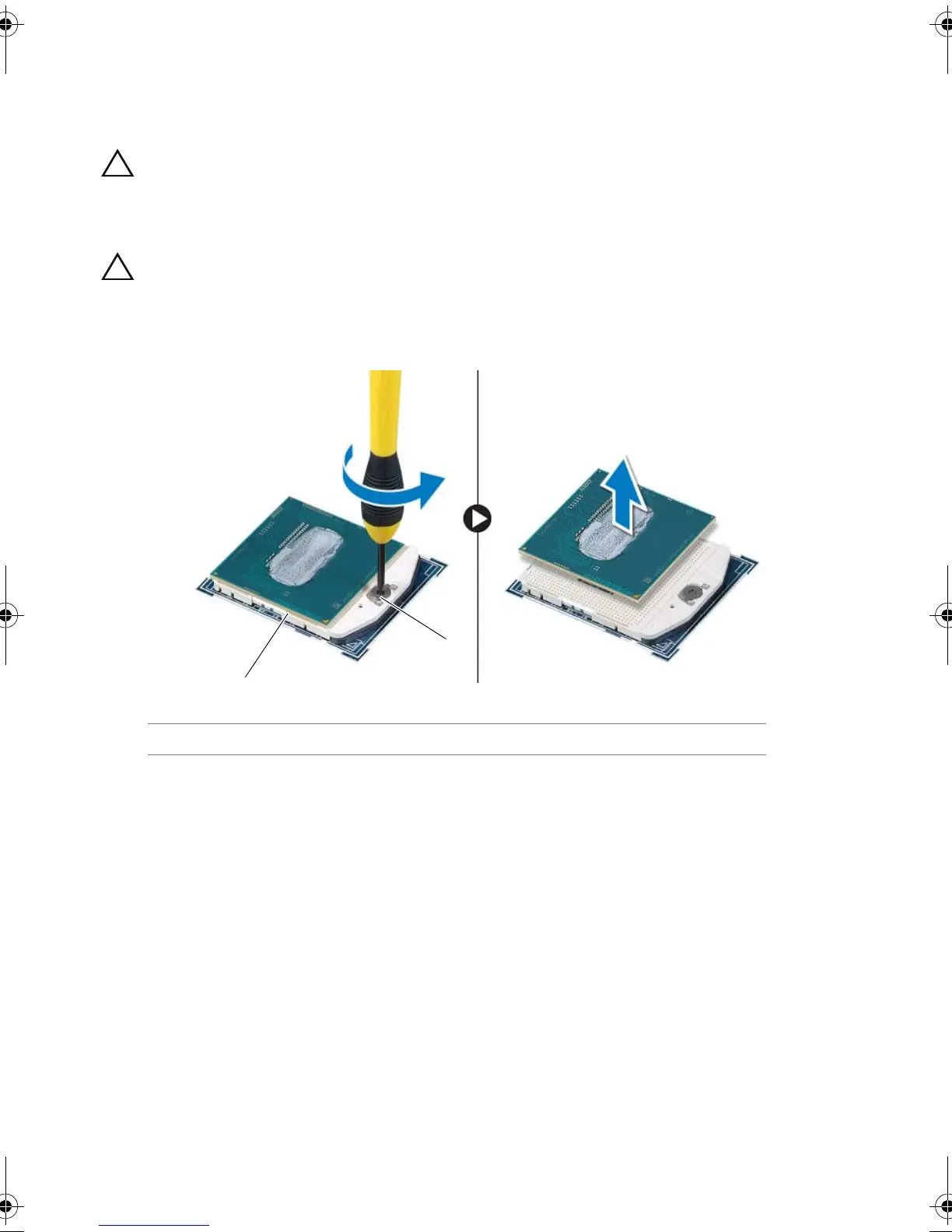
1 To loosen the ZIF socket, use a small, flat-blade screwdriver to rotate the ZIF-socket
cam screw counterclockwise until it comes to the cam stop.
CAUTION: To ensure maximum cooling for the processor module, do
not touch the heat-transfer areas on the processor thermal cooling
assembly. The oils in your skin can reduce the heat transfer capability
of the thermal pads.
CAUTION: When removing the processor module, lift the module
straight up. Be careful not to bend the pins on the processor module.
2 Lift the processor module from the ZIF socket.
1 ZIF socket 2 ZIF-socket cam screw
Book.book Page 97 Friday, June 28, 2013 11:10 AM












 To Next Page