48 | Removing the Status-Light Board
Procedure
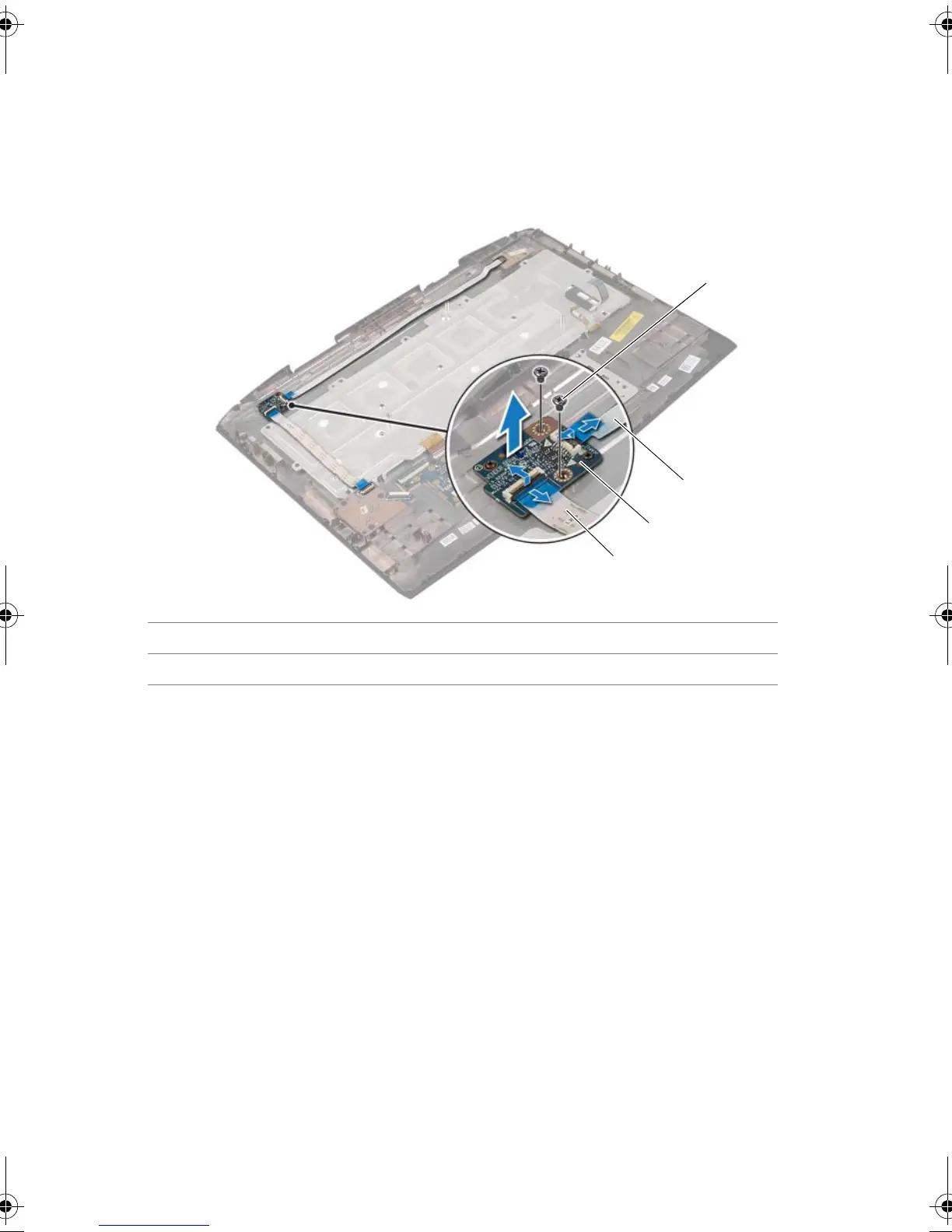
1 Lift the connector latches and pull the pull-tabs to disconnect the power-button
board cable and media-card reader cable from the connectors on the status-light
board.
2 Remove the screws that secure the status-light board to the palm-rest assembly.
3 Lift the status-light board off the palmrest.
1 screws (2) 2 power-button board cable
3 status-light board 4 media-card reader cable
Book.book Page 48 Friday, June 28, 2013 11:10 AM












 To Next Page